Professional services
Need expert help? RAGcon GmbH offers:
- RAGflow Support
- RAGflow Hosting
- Moodle Support
User guide — for students
This guide is for learners using the RAGflow features in your courses. Setting them up is done by your teachers and administrators.
The course tutor
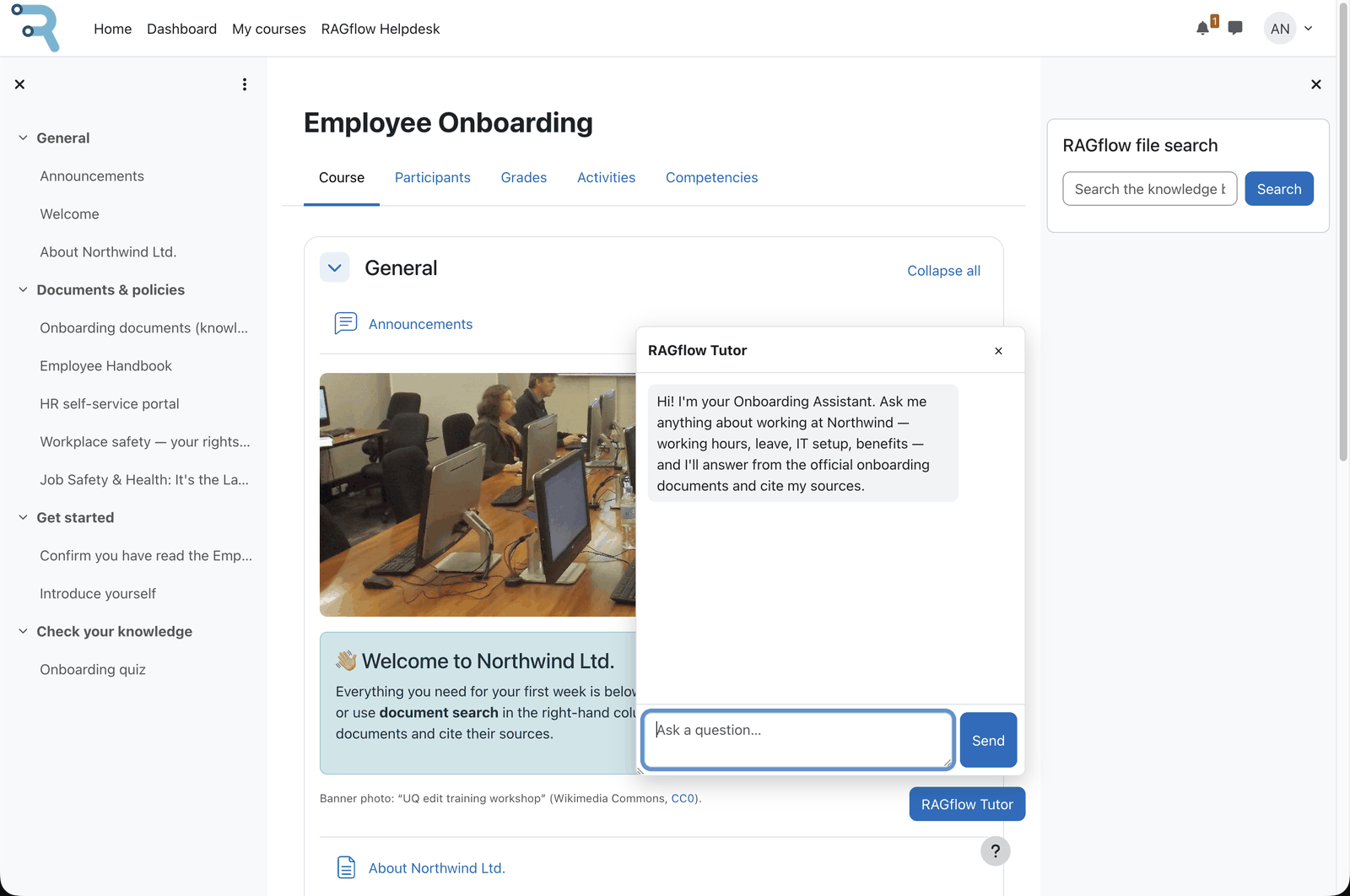 What students see: the Tutor block and its chat drawer.
If your course has a RAGflow Tutor, you'll see a chat you can open on the course page.
- Open the tutor and type your question.
- The answer is based on your course's documents. If sources are shown, the answer ends with a
Sources:line (e.g.Sources: [1.1]) and a Sources list appears below it, where you can open the cited files to read more. References are numbered per answer —[1.1],[1.2]for your first answer,[2.1]for the next — so you can tell which files belong to which answer. - Ask follow-up questions — the tutor keeps the topic in context.
The tutor answers in your Moodle language, so if your profile is set to German you'll get German answers.
Searching documents
If your course or dashboard has a RAGflow file search box, type a query and you'll get the best-matching files back — this is a search, not a chat, so it finds material rather than answering in prose. Results appear as one list ordered by match, each row showing a file-type icon, the file name and a "Match NN %" score; documents and images/media appear together in the same ranked list. Click a file name to open or download it, and hover the info icon next to a result to preview the matching text.
The help drawer (Helpdesk)
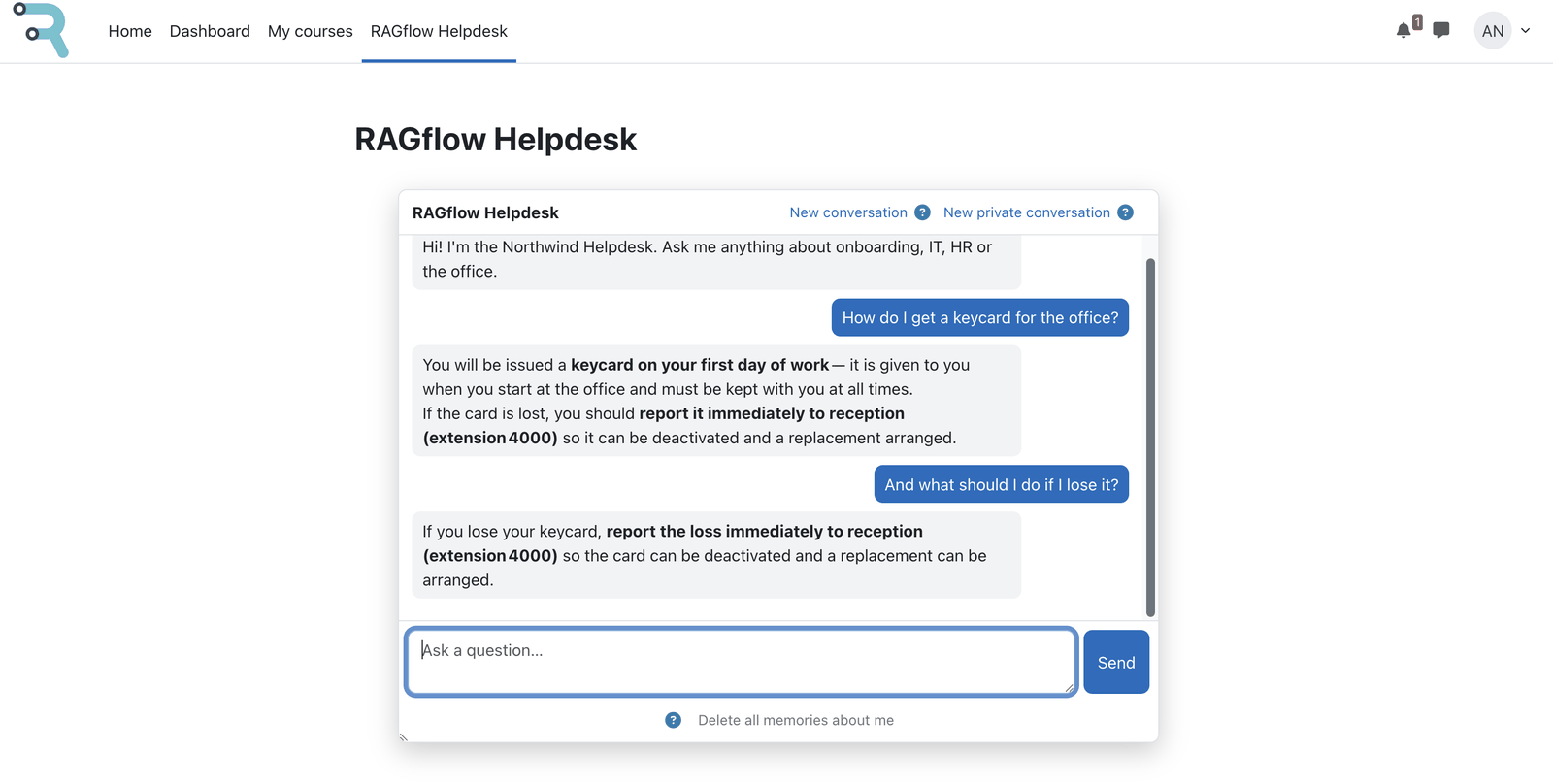 The help drawer is available site-wide, outside any course.
Some sites have a site-wide RAGflow Helpdesk in the menu — a help chat answering general questions about the platform. It can remember your conversation so follow-ups keep context. If private mode is available, you can use it to keep the conversation out of long-term memory.
When something goes wrong
- If you see "Unexpected response from RAGflow", the service may be briefly unavailable — wait a moment and try again. If it keeps happening, tell your teacher or administrator.
- If an answer seems wrong or incomplete, try rephrasing, and check the sources — the tutor answers from the provided documents, not general knowledge.
FAQ
Where do the answers come from? From the documents your teacher added to the tutor's knowledge base (or the search dataset) — not from a general chatbot. That's why answers are specific to your course.
Is my chat private? The conversation is handled by your site's RAGflow service. Depending on how your site is configured, it may be remembered to give better follow-up answers. If a private mode is offered, use it to avoid storing durable facts about you. Ask your administrator about your institution's data policy.
Why didn't the tutor answer my question? Either the document with the answer isn't in the knowledge base yet, or it's still being processed. Try again later or ask your teacher to add the material.
Can I use it in my language? Yes — answers follow your Moodle profile language.
Can I see where an answer came from?
If your teacher enabled sources, a "Sources" list appears under the answer with links to the documents,
and each answer ends with a Sources: line referencing them by number ([1.1], [1.2], …). Only the
documents the answer actually used are listed.
Note: This documentation was created with the help of AI. Spotted an error, an omission, or something unclear? Please report it in the ragcon-docs GitHub repository so we can fix it.