Professional services
Need expert help? RAGcon GmbH offers:
- RAGflow Support
- RAGflow Hosting
- Moodle Support
How it works
The connector talks to Moodle through its Web Services REST API (/webservice/rest/server.php) using
a web-service token. Everything it can see is what that token's user can see.
The walk
- Courses — it lists the courses the token's user is enrolled in (
core_course_get_courses). - Sections & modules — for each course it reads the course contents
(
core_course_get_contents): the sections (topics/weeks) and the activities (modules) in them. - Documents — each supported module becomes one RAGflow document. Unsupported module types are skipped.
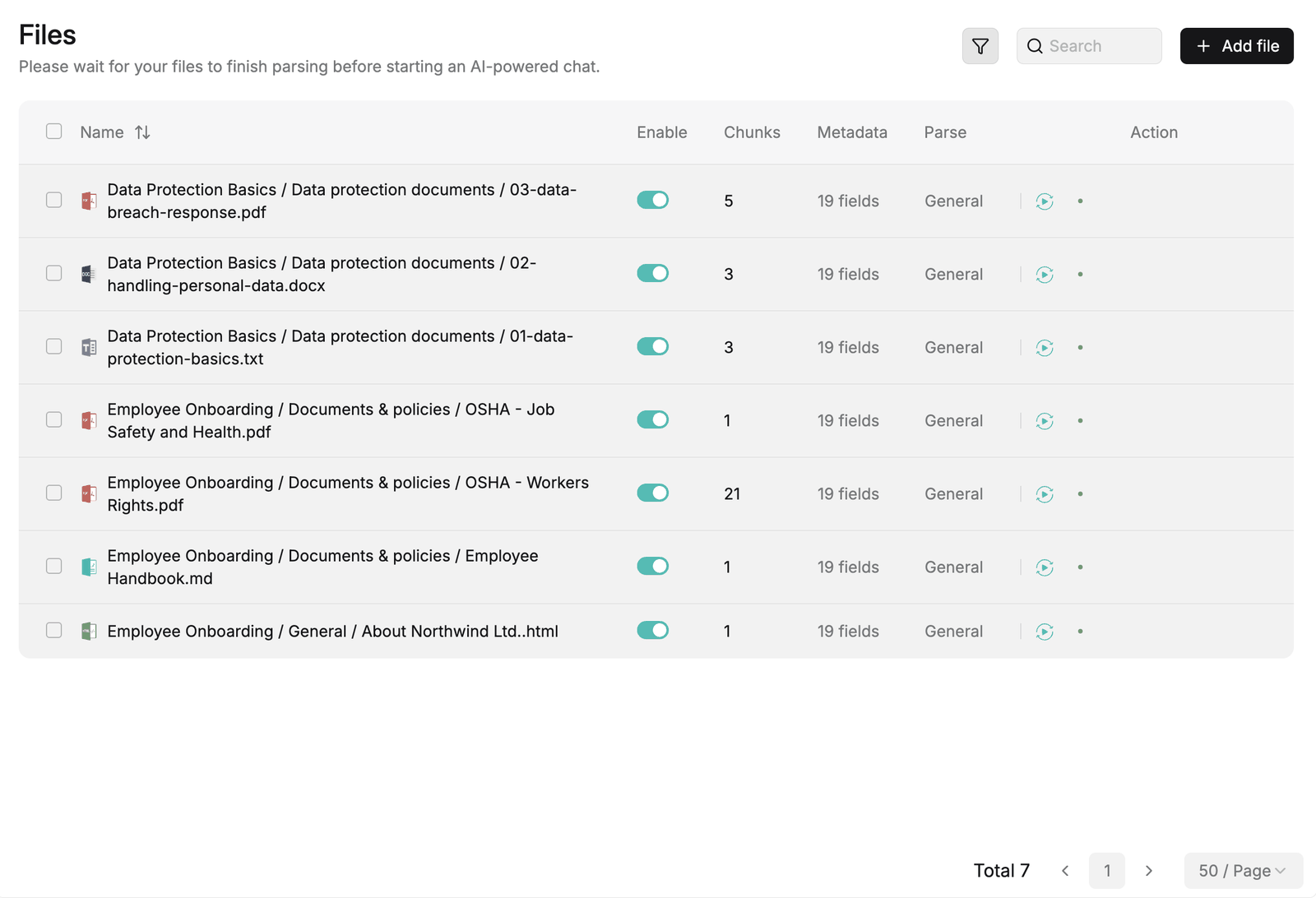 Synced Moodle items appear in the knowledge base, each labelled Course / Section / Name.
What becomes a document
| Moodle module | How it is indexed | Document id |
|---|---|---|
| Resource (a file) | The file is downloaded (the token is appended to the file URL) and indexed as-is, keeping its type (PDF, DOCX, PPTX, …). | moodle_resource_<id> |
| Page | The page's stored HTML is downloaded and indexed. | moodle_page_<id> |
| Book | Each chapter's index.html is fetched and converted to Markdown, then concatenated into one document. |
moodle_book_<id> |
| Forum | All discussions are fetched (mod_forum_get_forum_discussions) and rendered to Markdown (one heading per discussion). |
moodle_forum_<id> |
| Assignment / Quiz | The activity's description is converted to Markdown (the submissions/questions themselves are not read). | moodle_assign_<id> / moodle_quiz_<id> |
Skipped: label and url modules, and any module type not in the table above. A resource with no
file, or a page/book with no content, is skipped too.
Each document gets a human-readable semantic identifier of the form
Course fullname / Section name / File-or-activity name, so a citation shows where in Moodle it came from.
Stable ids, so updates land cleanly
Document ids are derived from the Moodle module id (moodle_<type>_<id>), not from the content. When a
course item changes and is re-synced, it replaces the existing document rather than creating a
duplicate; when an item is deleted in Moodle, its document is removed from the index (see
Sync behaviour).
Access & downloads
Protected Moodle files are served behind authentication, so the connector appends token=<token> to each
file URL when downloading. The token therefore needs the capability to download course files in
addition to reading course contents — see Setup.
What it does not do
- It does not read student submissions, quiz questions/answers, grades or messages — only the content listed above (for activities, only their description).
- It only sees enrolled courses of the token user; it is not a site-wide crawl unless that user is enrolled everywhere (see Security & permissions).
- It does not set an
external_sharingflag — see Using it with the Moodle RAGflow Suite.
Note: This documentation was created with the help of AI. Spotted an error, an omission, or something unclear? Please report it in the ragcon-docs GitHub repository so we can fix it.