Professional services
Need expert help? RAGcon GmbH offers:
- RAGflow Support
- RAGflow Hosting
- Moodle Support
RAGflow Search
Repository & issue tracker
- Repository: https://github.com/ragcon-ai/moodle-block_ragflowsearch
- Issues / bug tracker: https://github.com/ragcon-ai/moodle-block_ragflowsearch/issues
Component: block_ragflowsearch
Display name: RAGflow file search
Requires: Moodle 5.0–5.2
Depends on: aiprovider_ragflow
More than a keyword search
This block searches the content of your files — including scanned PDFs, images and tables — by meaning, not just their titles. See Document understanding.
A Moodle block that adds a search box to any page and searches one or more RAGflow knowledge bases semantically and lists the matching source documents. It is retrieval only: no answer is generated by an LLM, so results cannot be invented and always link to real documents. The basic search is fast and cheap; an optional rerank model re-orders the results for better precision, at a little extra latency. The search itself runs in the shared AI provider, and each block chooses its knowledge base and scope.
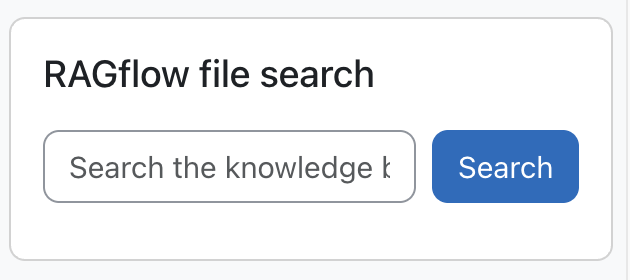 The Search block adds a semantic search box to any page.
Easy setup
- Install the RAGflow AI provider first
- Add the Search block to a page
- Select the knowledge base(s)
- Tune the result quality
Features
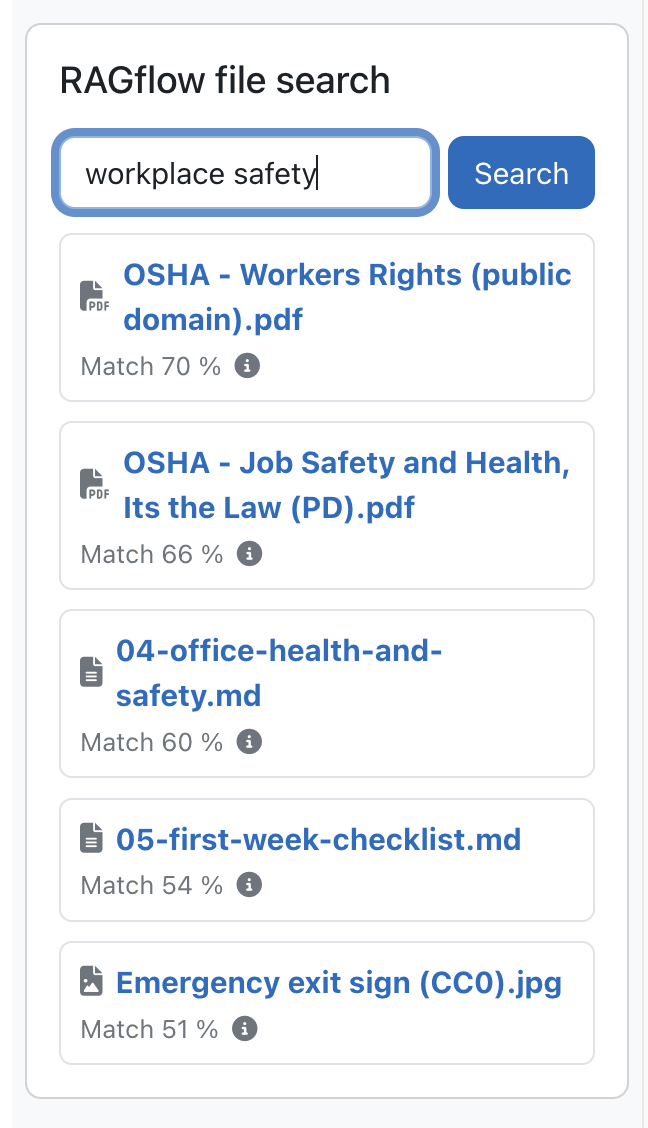 Results carry a relevance score and a snippet and link to the source document.
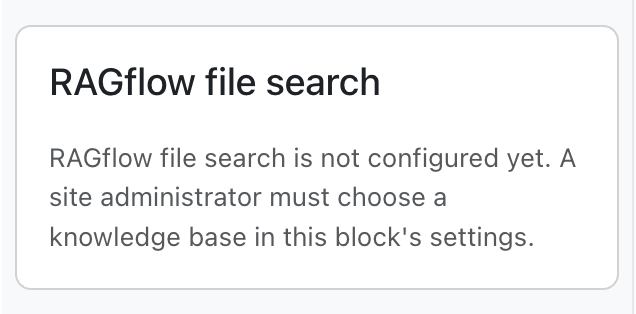 Users who may configure the block see a hint instead of a dead search box.
- Placeable on any page (courses, the Dashboard, the front page, …).
- Semantic search over one or more RAGflow datasets, chosen per block instance.
- One ranked list of matches (documents and media together, ordered by match score). Each row shows a file-type icon, the file name and the match score; the matching text excerpt appears on hover (info icon). Each result links to the source document through the provider's secure download proxy (the RAGflow API key never reaches the browser).
- Quality filters for better matches: a relevance floor, a relevance cliff and a result cap remove weak hits; images and media keep a lower floor so they are not lost; a semantic weight helps full-sentence questions match by meaning; and an optional rerank model improves precision further (see Result quality).
- Scope: whole KB or current course (course scope filters by a configurable metadata field; on pages without a course the whole KB is searched).
- Login-gated (no content for logged-out users or guests); one instance per page.
- Helpful empty states: a not configured hint for users who can add the block, a no knowledge bases available message if the provider isn't enabled, and a knowledge base was deleted in RAGflow notice when a search returns nothing because a configured dataset no longer exists (privileged users additionally see which dataset).
Use cases
Three ways teams use the Search block — expand an example. Pair any of them with the RAGflow Moodle Connector to keep the searchable knowledge base in step with the documents maintained in Moodle, with no manual re-upload.
Enterprise — find the right document fast
A company keeps policies, product docs and process guides in Moodle, and staff waste time hunting for the right file.
The Search block finds it by meaning — a query like "parental leave" surfaces the actual policy PDF and the passage that matched, as a link, with no generated answer to second-guess. Scanned forms and posters stay findable because RAGflow reads their content (OCR and a vision model), not just their filename.
Universities — course library & past papers
Students search across course handouts, lab manuals and past exam papers by meaning rather than exact title — useful when the file they need is a scanned handout or an oddly named PDF.
Every result links straight to the source document, so a student verifies the original instead of trusting a summary.
Public sector — auditable information retrieval
A public body offers a knowledge base of regulations, forms and procedures. Retrieval-only search returns the authoritative document itself — no LLM step, nothing that can hallucinate — which is exactly the property a compliance or citizen-information context needs.
It runs on a RAGflow instance under the body's control — self-run or privately hosted — so the corpus stays there.
Configuration
Almost all configuration is per block instance, and only site administrators may set it (non-admins see an "only site administrators can choose the knowledge base" message, and their saves cannot clear the choice). The only site-wide setting is an optional logging toggle (below).
Per-instance block config (Configure this RAGflow file search block)
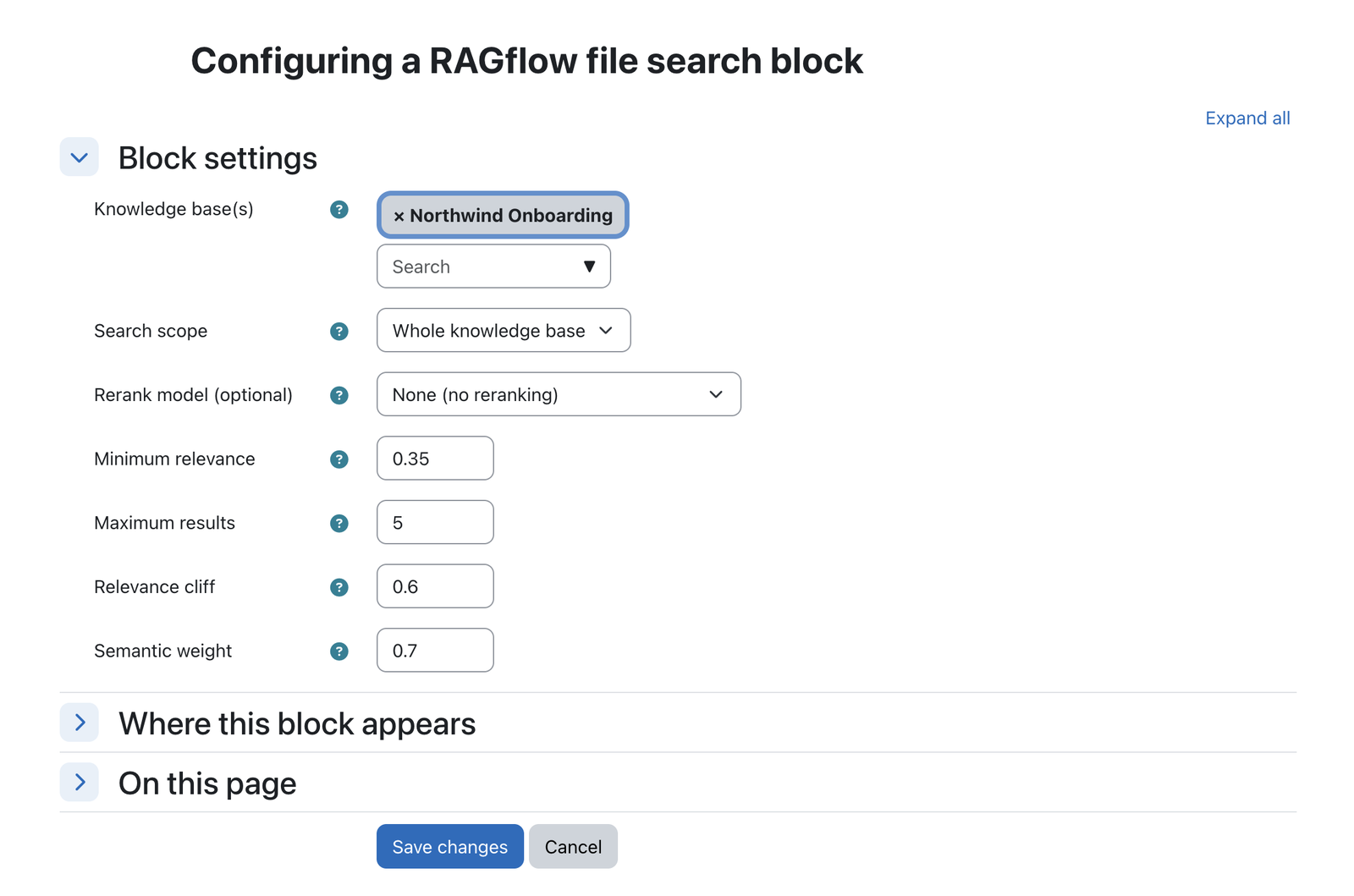 All settings are per block instance: datasets, scope, rerank model and thresholds.
| Setting | Type | Default | Meaning |
|---|---|---|---|
Knowledge base(s) (config_datasets) |
autocomplete (multiple) | none (required) | The RAGflow dataset(s) this block searches. Select one or more; the block does not search until at least one is chosen. |
Search scope (config_scope) |
select | Whole knowledge base |
Whole knowledge base or Current course only (matched via the course metadata field). On pages without a course, the whole KB is searched. |
Course metadata field (config_coursefield) |
text | course_id |
RAGflow document metadata field holding the Moodle course id. Only used when scope is Current course only. |
Rerank model (config_rerankmodel) |
select | None (off) | Optional. A dropdown of the rerank models available in your RAGflow (fetched live; a hint is shown if none is configured). When set, RAGflow reorders the candidates with a cross-encoder for markedly better precision. Choose None for plain vector/keyword ranking. |
Semantic weight (config_vectorweight) |
number | 0.7 |
Balances meaning-based (vector) vs. literal keyword matching (0–1). Higher = questions asked in full-sentence form match by meaning; lower = literal keyword matching dominates. RAGflow's own default (0.3) is keyword-heavy and scores sentence questions poorly. |
Minimum relevance (config_minsimilarity) |
number | 0.35 |
Text results below this score (0–1) are dropped. Higher = fewer/stricter, lower = more/looser. Images/media keep their own, lower floor. |
Maximum results (config_maxresults) |
number | 5 |
Upper bound on the number of text (non-media) results kept. Images/media are kept under their own lower relevance floor (up to 3 more) and shown inline in the single match-ranked list. |
Relevance cliff (config_cliffratio) |
number | 0.6 |
Keep a result only while its score stays within this fraction (0–1) of the top hit. Lower = keep more mid-ranked results; 0 = off. |
Site-wide setting — Site administration → Plugins → Blocks → RAGflow file search
| Setting | Type | Default | Meaning |
|---|---|---|---|
Write log data (logtomoodle) |
checkbox | off | Write a concise usage/error entry (metrics only) to the Moodle standard log per search; independent of the RAGflow dashboard. |
Result quality (fewer, better matches)
 The rerank dropdown lists the rerank models available in your RAGflow.
The search is tuned to return a short, relevant list instead of a fixed number of hits. The defaults work well; the semantic weight, minimum relevance, maximum results and relevance cliff can be tuned per block (see the config table above), and reranking is opt-in.
- Relevance floor: matches below a minimum score are dropped, so weakly related documents no longer clutter the list.
- Relevance cliff + result cap: once the scores fall away from the best hit (or the cap of 5 is reached), the list stops. A query with two strong matches returns two, not a padded eight.
- Semantic weight (sentence questions): the hybrid search blends meaning-based (vector) and keyword
scoring. A higher semantic weight (default
0.7) lets meaning dominate, so a question asked as a full sentence matches the right document instead of only its literal keywords. RAGflow's own default is keyword-heavy, which scores sentence questions poorly; raising the weight is the main fix. - Images and media appear in the same list: images and other media embed with low text similarity, so a single floor would wrongly hide them. They keep a lower floor so they still appear; all results (documents and media) then appear in one list ordered by match score, so media sit with their (lower) scores rather than being dropped or diluting the ranking.
- Optional reranking: set a rerank model (above) and RAGflow reorders the retrieved candidates with a cross-encoder. This is the single biggest precision gain: the truly relevant documents rise to the top and the weaker ones fall below the cliff. It is opt-in (needs a rerank model in your RAGflow) and adds a little latency.
In short: shorter, more trustworthy result lists; no irrelevant filler; images stay findable; and, with reranking on, noticeably sharper ordering. Sensible defaults apply from the start.
Capabilities
| Capability | Default roles | Purpose |
|---|---|---|
block/ragflowsearch:addinstance |
Teacher, Manager | Add a search block to a page |
block/ragflowsearch:myaddinstance |
Authenticated user | Add the block to the Dashboard / My home |
Note
Choosing the knowledge base and scope is restricted to site administrators (not a capability), because a dataset is a site-wide resource.
Roles & permissions (who can do what)
The search block has no dedicated "use" capability: anyone who can see the block can search it and open results. Permissions only govern who may add the block and who sets up its knowledge base.
| Role | What this role can do |
|---|---|
| Site administrator | Add the block anywhere and choose its knowledge base and scope (a site-wide dataset resource, admin-only, not a capability). Also sets the site-wide block setting. |
| Manager · Teacher (editing) | Add a search block to a course page (:addinstance) and set its display options; cannot choose the knowledge base / scope (site-admin only). |
| Any authenticated user | Add the block to their own Dashboard / My home (:myaddinstance). |
| Non-editing teacher · Student · anyone who can view the block | Search and open results; no extra permission is needed beyond seeing the block. |
| Guest / not logged in | Can search only where guest viewing of the page is allowed; otherwise no access. |
Privacy
The block stores no personal data. Search queries are sent to the configured RAGflow service by the AI provider to retrieve matching documents; source links go through the provider's secure proxy.
Note: This documentation was created with the help of AI. Spotted an error, an omission, or something unclear? Please report it in the ragcon-docs GitHub repository so we can fix it.