Professional services
Need expert help? RAGcon GmbH offers:
- RAGflow Support
- RAGflow Hosting
- Moodle Support
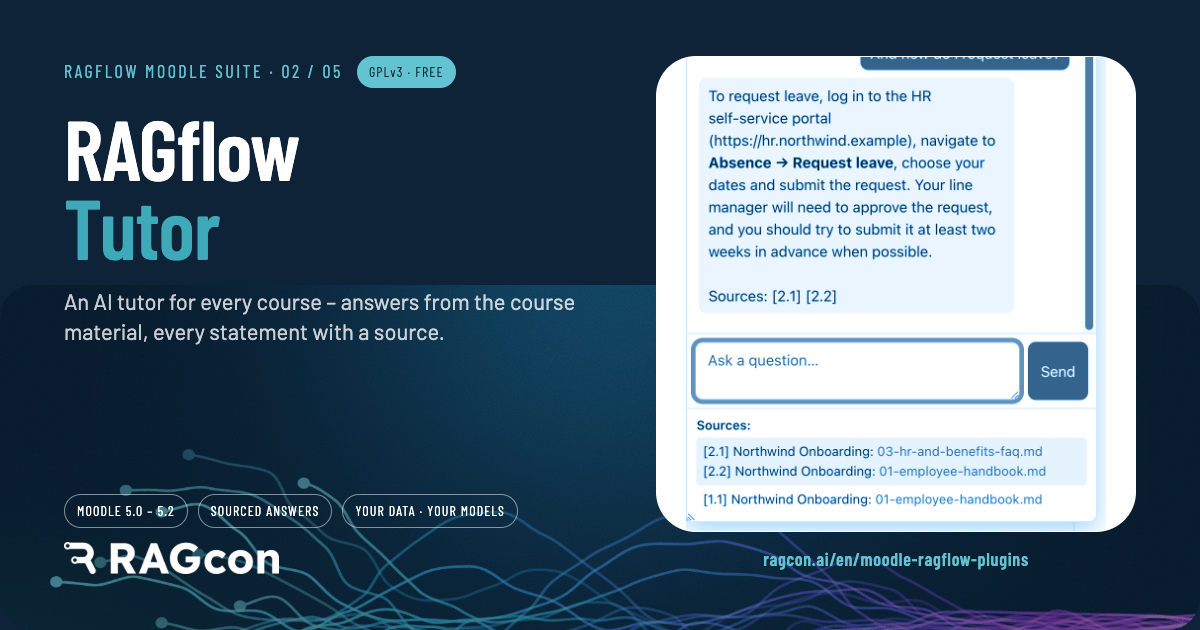
RAGflow Tutor
Repository & issue tracker
- Repository: https://github.com/ragcon-ai/moodle-block_ragflowtutor
- Issues / bug tracker: https://github.com/ragcon-ai/moodle-block_ragflowtutor/issues
Component: block_ragflowtutor
Requires: Moodle 5.0–5.2
Depends on: aiprovider_ragflow
Deep document understanding
Answers draw on the content of your documents — scanned pages, images and tables included, read by OCR, layout and vision models. See Document understanding.
A per-course AI tutor delivered as a Moodle block. Placed on a course or activity page, it renders a chat drawer that answers students' questions using a RAGflow knowledge base for that course. Each block instance has its own knowledge base: teachers upload course documents and manage them directly in the block. The chat engine, credentials and knowledge-base API come from the shared AI provider.
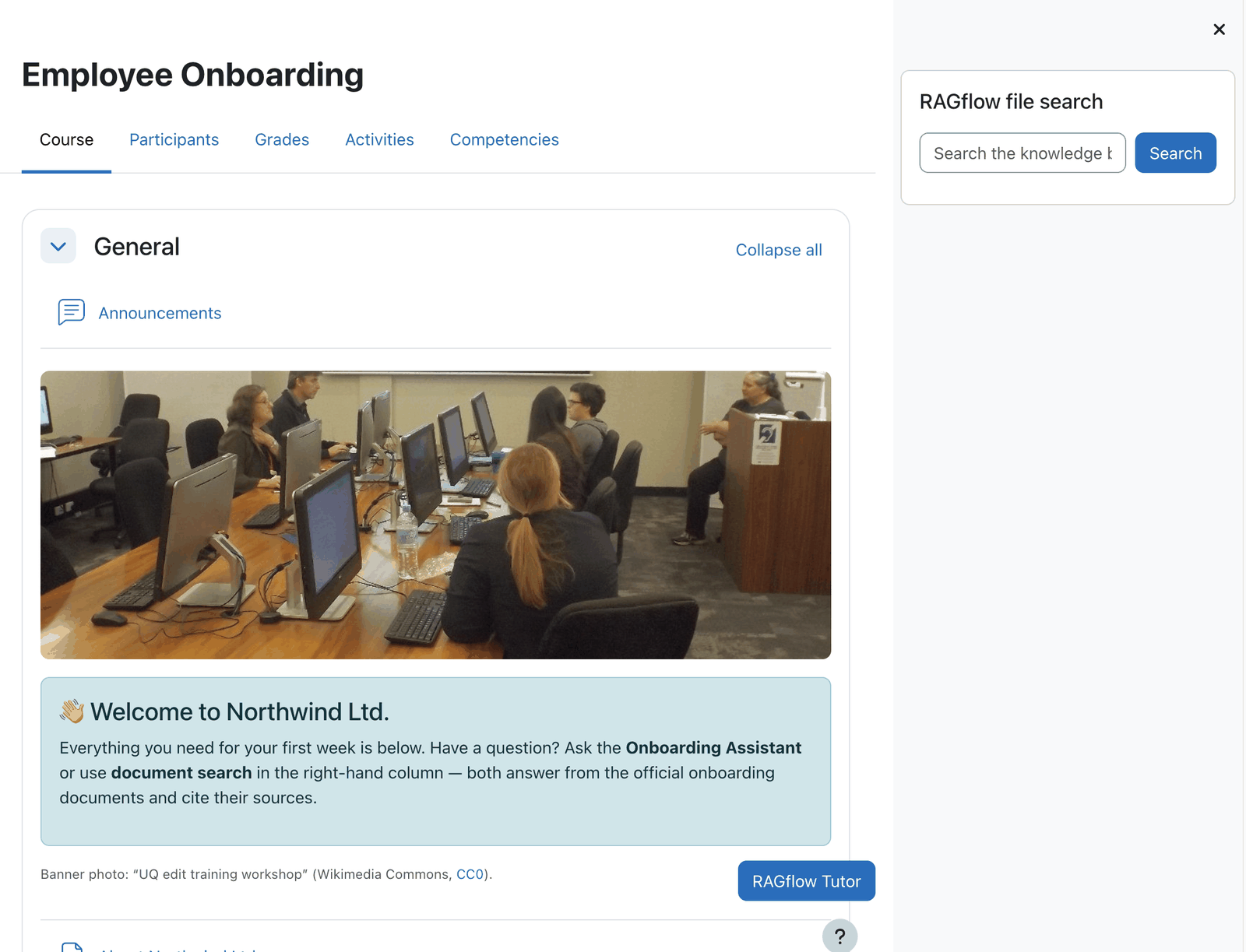 The Tutor block sits on the course page and opens a chat drawer.
Easy setup
- Install the RAGflow AI provider first
- Add the Tutor block to a course
- Choose or create the knowledge base
- Upload the course documents
Features
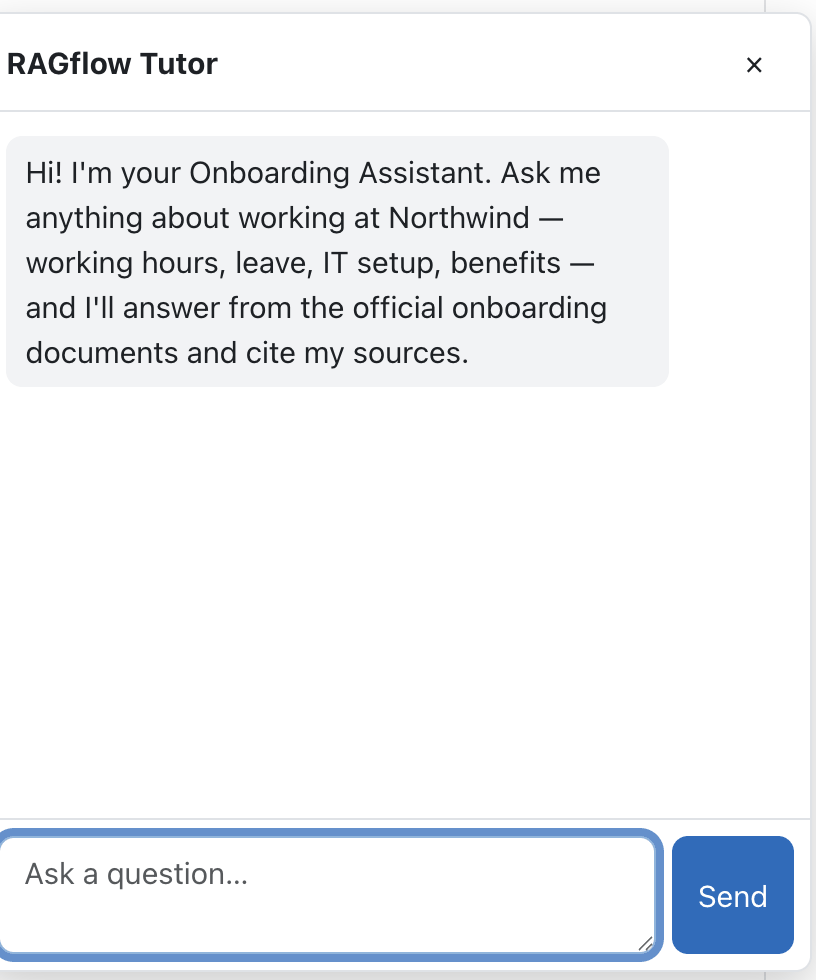 The drawer opens with the greeting configured for the course.
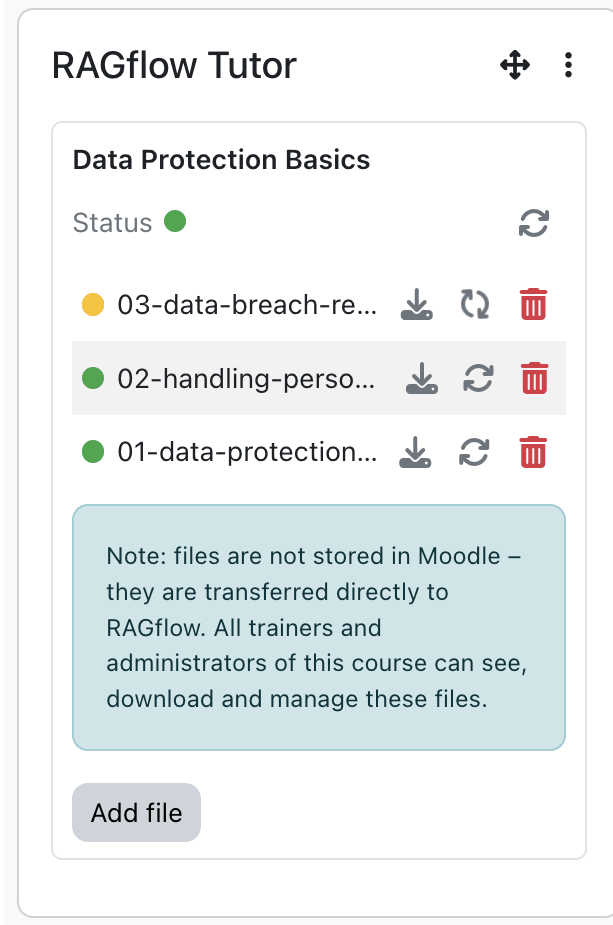
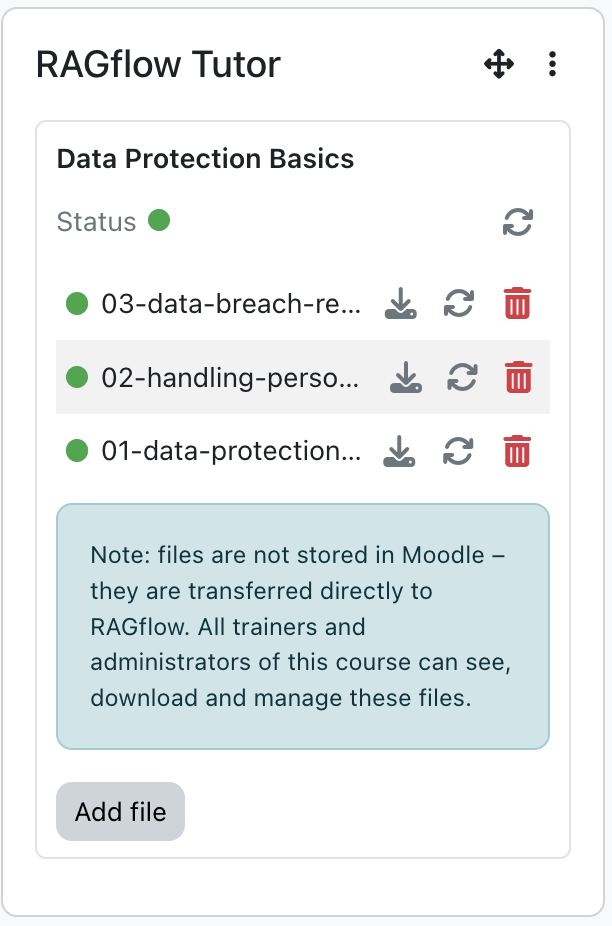 The knowledge-base panel: green means ready, with the file list below.
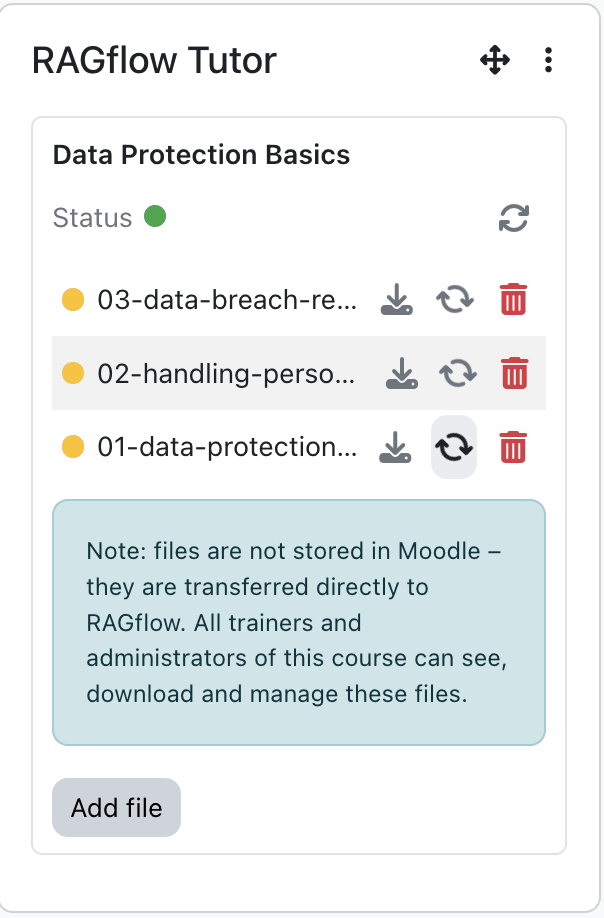
 Yellow while the knowledge base is linking or files are still parsing.
 Teachers can re-process a document without re-uploading it.
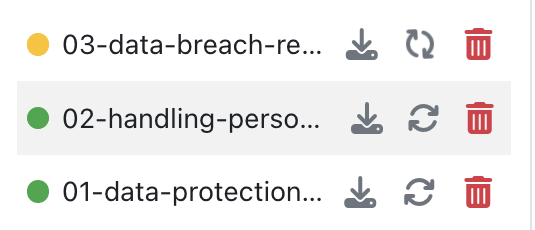 Per file: re-process, download through a signed link, or delete.
- Course tutor chat drawer for anyone with the use capability. The transcript is kept in the browser, with a per-user rate limit in the shared engine.
- Greeting & system instruction per block, to set the tone and behaviour for the course.
- Per-instance knowledge base / assistant: pick an existing RAGflow assistant (labelled with its
document count) or create a new knowledge base inline. The block creates the RAGflow dataset and
assistant, adds a small
README.md, links them, and (for larger uploads) finishes linking in the background. - In-block knowledge-base panel (for managers and trainers with manage files): a status line with a colour-coded status light (green ready / yellow linking or parsing / red error), a refresh button, the file list and an upload area. It refreshes automatically while the knowledge base is linking or files are still parsing.
- File management (only when the block manages the files — a new KB with Manage files from this block):
- Upload multiple files (streamed as multipart, so large files are fine); each is virus-scanned (Moodle antivirus), size-checked, pushed into the knowledge base and parsed.
- Re-process a file, delete a file (with confirmation), or download a file through a short-lived signed link that is created when you click.
- An internal
README.mdis always hidden and can never be downloaded, deleted or re-parsed, and every action can only touch this block's own knowledge base.
- Answers in the user's Moodle language; optional source citations.
Uploaded documents live in RAGflow, not Moodle
Files uploaded through the Tutor block are transferred directly to RAGflow and are visible/ manageable by all trainers and admins of the course. They are not stored in Moodle.
Use cases
Three ways teams use the Tutor — expand an example. Any of them can be paired with the RAGflow Moodle Connector, which re-syncs a course's resources and pages into the knowledge base whenever they change, so the Tutor never cites last year's version.
Enterprise — onboarding & compliance
A manufacturer runs onboarding and safety courses in Moodle. Each course carries a Tutor grounded in that course's handbooks, SOPs and safety sheets, so a new hire can ask "When do I need hearing protection in hall 3?" and get an answer with the source page — instead of interrupting a supervisor.
Because a Tutor only answers from its own course's material, the sales course can't leak into the safety course.
Universities — large-lecture support
In a 400-student lecture, the Tutor answers from the lecture slides, the reading list and the course glossary — around the clock, in the student's language, and always citing the slide or paper it used.
Repetitive "where was this defined?" questions drop, and the teaching team keeps control of what the Tutor knows simply by curating the course materials.
Public sector — regulatory & vocational training
A public-administration academy teaches procedures and regulations. The Tutor answers strictly from the official regulation texts and internal guidance, with a citation for every statement — essential where an answer must be traceable to its source.
Everything runs on a RAGflow instance under the authority's control — self-run or privately hosted — so training content and learner questions stay there.
Configuration
Admin setting — Site administration → Plugins → Blocks → RAGflow Tutor
| Setting | Type | Default | Meaning |
|---|---|---|---|
Upload limit for Moodle knowledge bases (uploadlimit) |
select | 50 MB |
Max size per document uploaded to a Moodle-managed KB (50 MB / 500 MB / Unlimited). The effective ceiling is the smaller of this and Moodle's own max upload size. |
Write log data (logtomoodle) |
checkbox | off | Write a concise usage/error entry (metrics only, no message content) to the Moodle standard log per request; independent of the RAGflow dashboard. |
Per-instance block config (Configure this RAGflow Tutor block)
Fields are shown according to the editor's capabilities (site admins see all).
Knowledge base / assistant (admin, change-KB or create-KB)
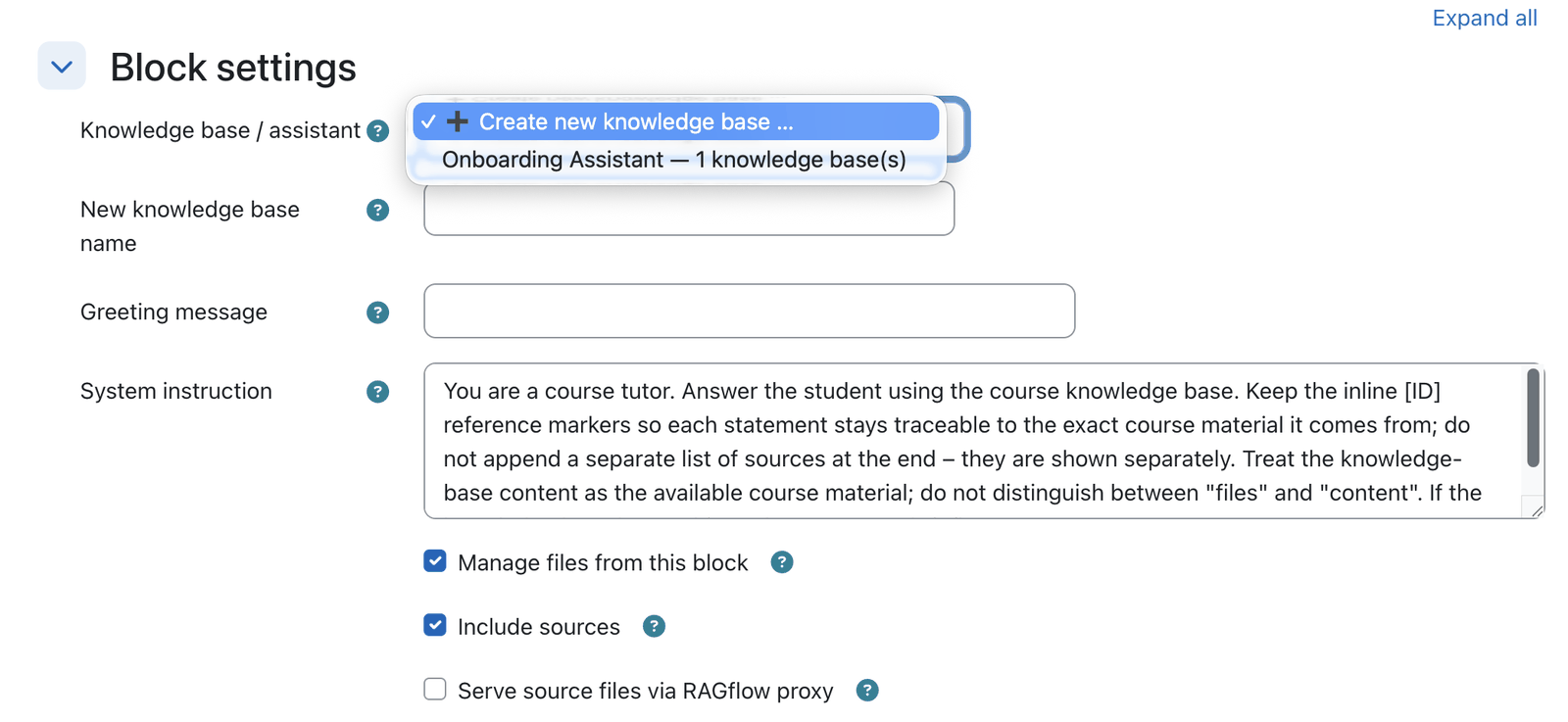 Pick an existing assistant or create a brand-new knowledge base inline — chosen once, at creation.
| Field | Type | Default | Meaning |
|---|---|---|---|
Knowledge base / assistant (config_chatid) |
select (creation) / read-only (later) | — | The RAGflow assistant this Tutor uses. Users with create KB also get "➕ Create new knowledge base …". Fixed after creation — when editing a bound block it is shown read-only (its name), so it can't be switched. |
New knowledge base name (config_newkbname) |
text | — | Shown only when creating a new KB; must be unique. |
Content (admin or edit-content — trainers)
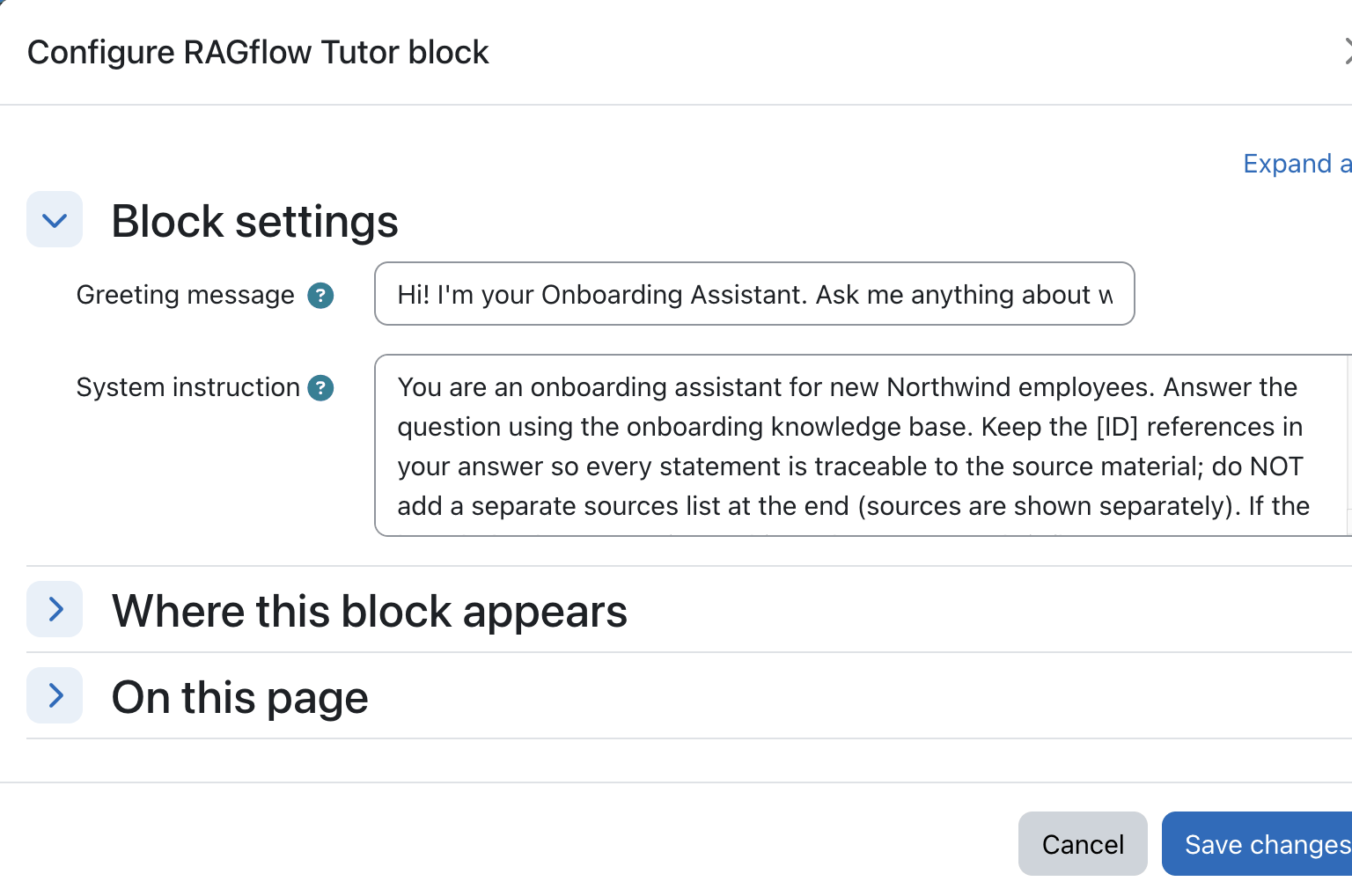 Trainers can adjust greeting and system instruction without touching admin settings.
| Field | Type | Default | Meaning |
|---|---|---|---|
Greeting message (config_greeting) |
text | course-tutor default | First message shown when the chat opens. |
System instruction (config_systeminstruction) |
textarea | built-in default prompt | Instruction prepended to each request. |
Document source & citations (site admin only; labels from the provider)
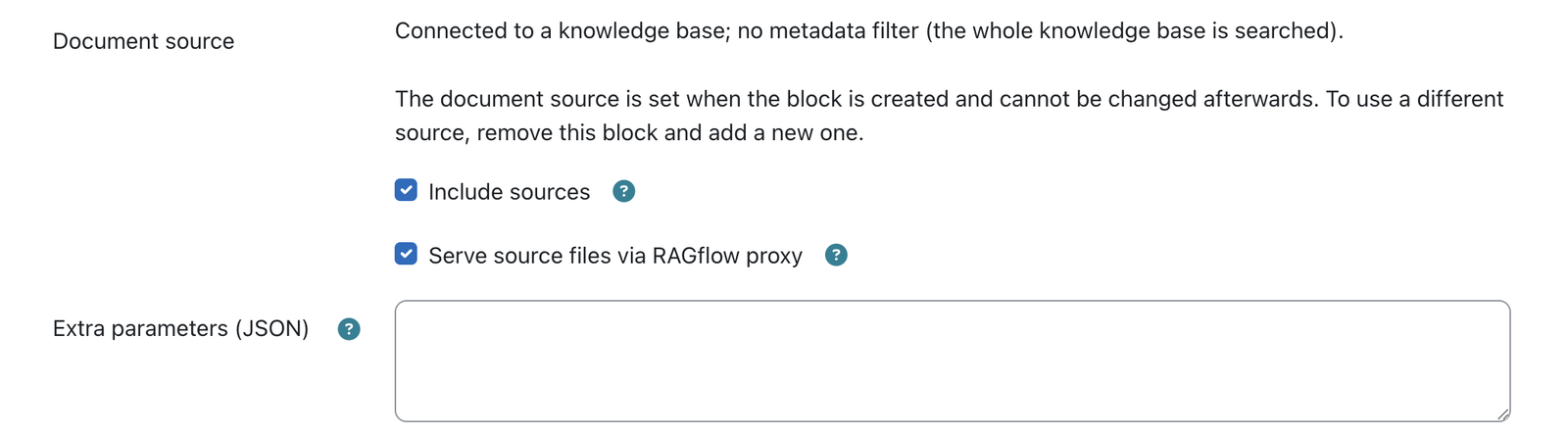 The document source is fixed when the block is created; citation options stay editable — site admins only.
| Field | Type | Default | Meaning |
|---|---|---|---|
Manage files from this block (config_managefiles) |
checkbox | on | Shown only when creating a new knowledge base. On (default) the block owns the knowledge base and you upload/manage its documents from the in-block panel. Off connects Moodle to the new knowledge base only — you then add and manage its documents in RAGflow itself (no in-block file panel). |
Metadata filtering (config_metadatafilter) |
select | No |
Shown only when connecting to an existing knowledge base. No (whole KB, no filter), Moodle Connector (restrict to the current course by course_id + site URL; on the site home, where there is no course, no filter is applied), or External sharing (only documents with external_sharing = 1). The two connector options require RAGflow's built-in Moodle connector to have written that metadata; without it the tutor answers "nothing found". |
Course metadata field (config_coursemetadatafield) |
text | course_id |
Metadata field used to filter (only for the Moodle Connector option). |
Include sources (config_includesources) |
checkbox | off | Show source links with answers. |
Serve source files via RAGflow proxy (config_serveviaproxy) |
checkbox | off | Stream sources through the secure proxy (hidden unless Include sources is on). |
Extra parameters (JSON) (config_extraparams) |
textarea | — | Extra JSON merged into the request. |
Knowledge base / assistant and document source are fixed after creation
Both are structural: the assistant carries its knowledge base, and the document source decides the metadata filter bound to it. They are chosen once, when the block is created (the knowledge base / assistant picker, and — for the source — Manage files from this block for a new KB or Metadata filtering for an existing one). Once the block is bound, both are shown read-only (the assistant's name and a short source summary); changing them would silently break retrieval. To use different settings, remove the block and add a new one.
Trainers can't overwrite admin settings
On save, only the fields the current user may change are written, so a trainer editing the greeting cannot clear the admin-only knowledge-base / source settings.
Sources & citations
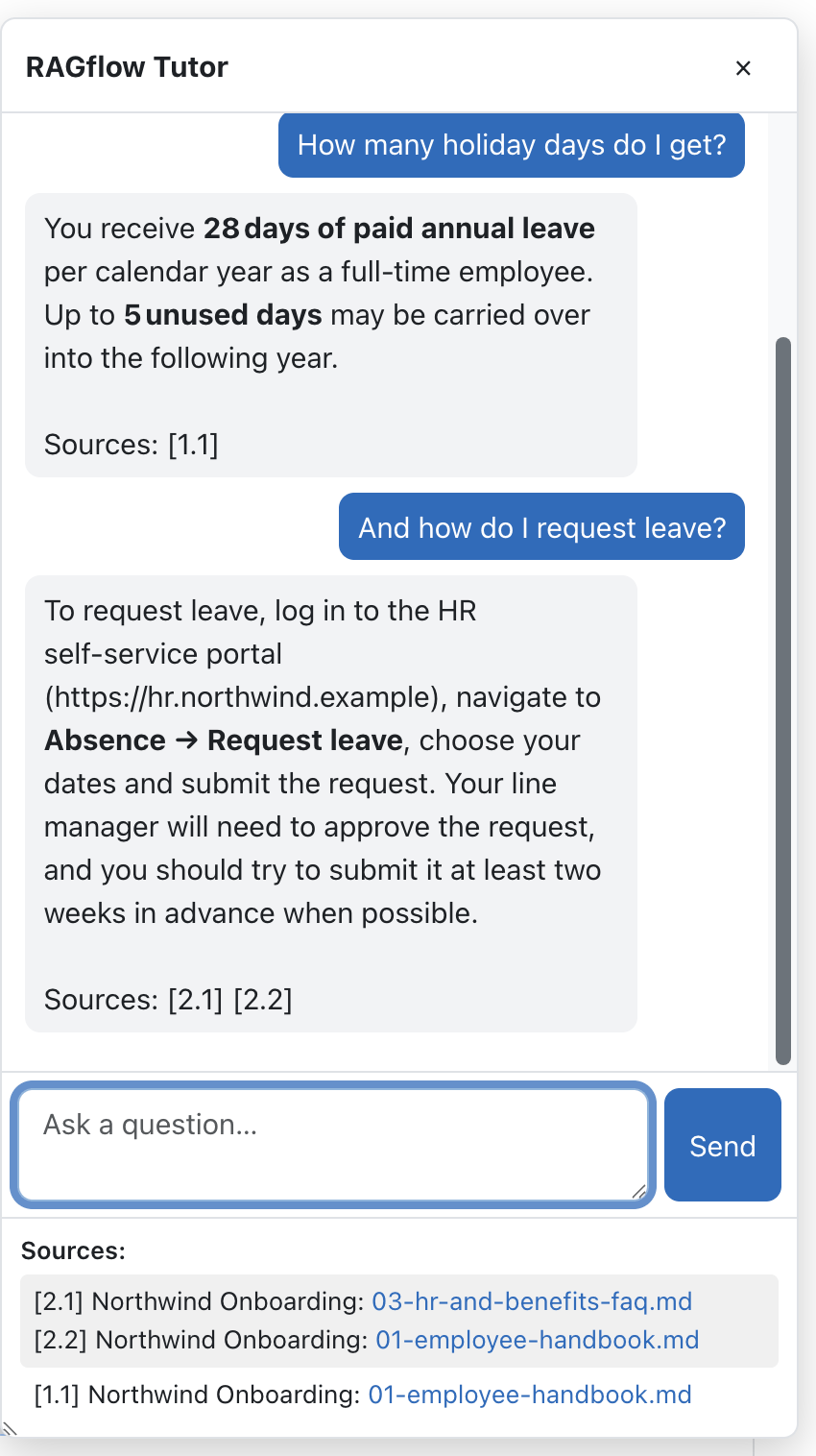 Each answer ends with a Sources line; the Sources panel lists the matching files.
When Include sources is on, the Tutor lists the documents behind each answer from the model's own citations — i.e. only the documents the answer actually used, not a separate, blind similarity search. This avoids weakly-related documents showing up as "sources".
- Each answer ends with a short
Sources:line (e.g.Sources: [1.1]) and the drawer's Sources panel lists the matching files, each prefixed with the same reference. - References are numbered per answer as
[answer.source]: the first answer's sources are[1.1],[1.2], …, the second answer's are[2.1],[2.2], and so on — so it stays clear which files belong to which answer as the conversation (and the stacked Sources panel) grows. - A cited document is always listed, even if it is an image or other low-text-similarity file: the model's citation is the relevance signal.
- If the model cites nothing (including a "nothing relevant found" answer), the Sources panel stays empty. A not-found answer never shows a source.
Keep the [ID] markers in a custom system instruction
The citation list depends on the model emitting its [ID] reference markers. The default System
instruction asks the model to keep them; if you customise it per course, do not tell the model
to omit [ID] references, or answers will show no sources at all.
Capabilities
| Capability | Default roles | Purpose |
|---|---|---|
block/ragflowtutor:use |
Student, Teacher, Manager | Ask questions in the tutor |
block/ragflowtutor:addinstance |
Teacher, Manager | Add the block to a course |
block/ragflowtutor:editcontent |
Teacher, Manager | Edit greeting / system instruction |
block/ragflowtutor:editkb |
Manager | Change the knowledge base / assistant |
block/ragflowtutor:createkb |
Manager | Create a new knowledge base from the block |
block/ragflowtutor:managefiles |
Teacher, Manager | Manage the documents of a Moodle-managed KB (and see the KB panel) |
Who wires the knowledge base
Adding the block is a teacher-level action, but choosing or creating its knowledge base and
assistant needs change or create knowledge base, which is Manager (or site admin) by default.
The two roles split cleanly: a manager sets the knowledge base up once; teachers then manage its
documents and set the greeting and system instruction. Until a manager sets one up, a teacher who
opens the unconfigured block is asked to contact a site administrator, because the knowledge-base
field is not shown to their role. Grant :editkb (and optionally :createkb) to the teacher role if
you want trainers to set it up themselves.
Roles & permissions (who can do what)
| Role | What this role can do |
|---|---|
| Site administrator | Everything below, in any course. |
| Manager | Add the block, chat, edit the greeting and system instruction, and manage the knowledge base's documents. It is also the only role that may change or create the knowledge base or assistant (:editkb / :createkb), so it sets the knowledge base up. |
| Teacher (editing) | Add the block (:addinstance), chat (:use), edit the greeting and system instruction (:editcontent), and manage documents of a Moodle-managed knowledge base: upload, delete and see the panel (:managefiles). Cannot choose or create the knowledge base itself (manager only, by default). |
| Non-editing teacher | Chat with the tutor (:use). No configuration. |
| Student | Chat with the tutor (:use). No configuration. |
| Guest / not logged in | No access. |
See the "Who wires the knowledge base" note above to let editing teachers set the knowledge base up
themselves (grant :editkb / :createkb).
Privacy
The block stores no personal data itself. The conversation exists only in the browser; prompts are
handled by the AI provider. Uploaded documents are stored in RAGflow (see the warning
above), and a newly created knowledge base's README.md records where it came from (site URL, course,
block id, creator, timestamp).
Note: This documentation was created with the help of AI. Spotted an error, an omission, or something unclear? Please report it in the ragcon-docs GitHub repository so we can fix it.