Professional services
Need expert help? RAGcon GmbH offers:
- RAGflow Support
- RAGflow Hosting
- Moodle Support
Set up RAGflow
This page connects Moodle to your RAGflow instance once, centrally. All suite plugins reuse this provider, so you only do this setup a single time.
What you need
- A reachable RAGflow base URL (e.g.
https://ragflow.example.org). - A RAGflow API key (RAGflow → API → generate a key).
- At least one RAGflow assistant (chat) bound to a knowledge base / dataset that contains your documents. See Prepare a knowledge base below.
Easy setup
Before you start: configure your models
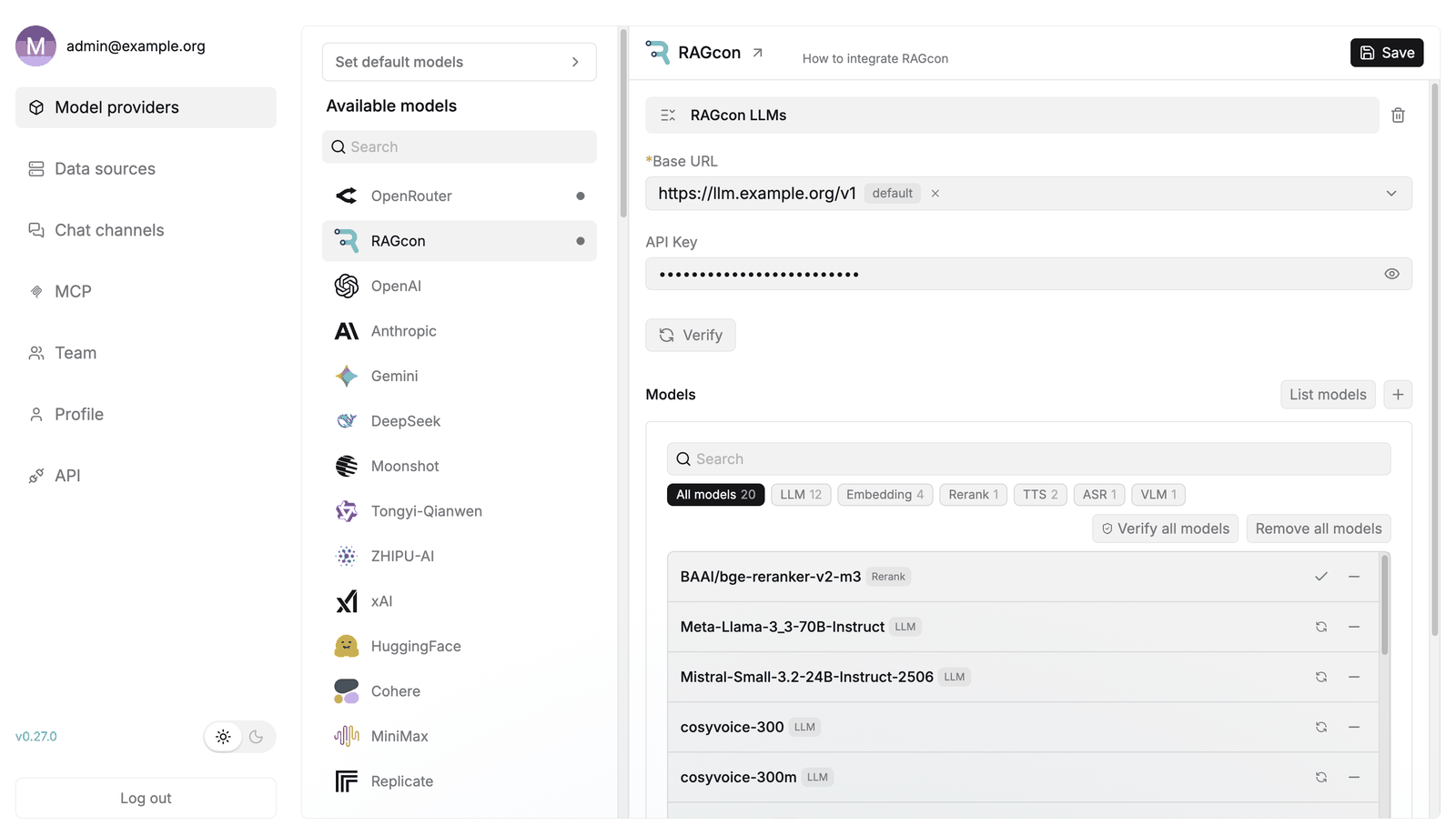 Add a chat, an embedding and (optionally) a rerank model under Model providers.
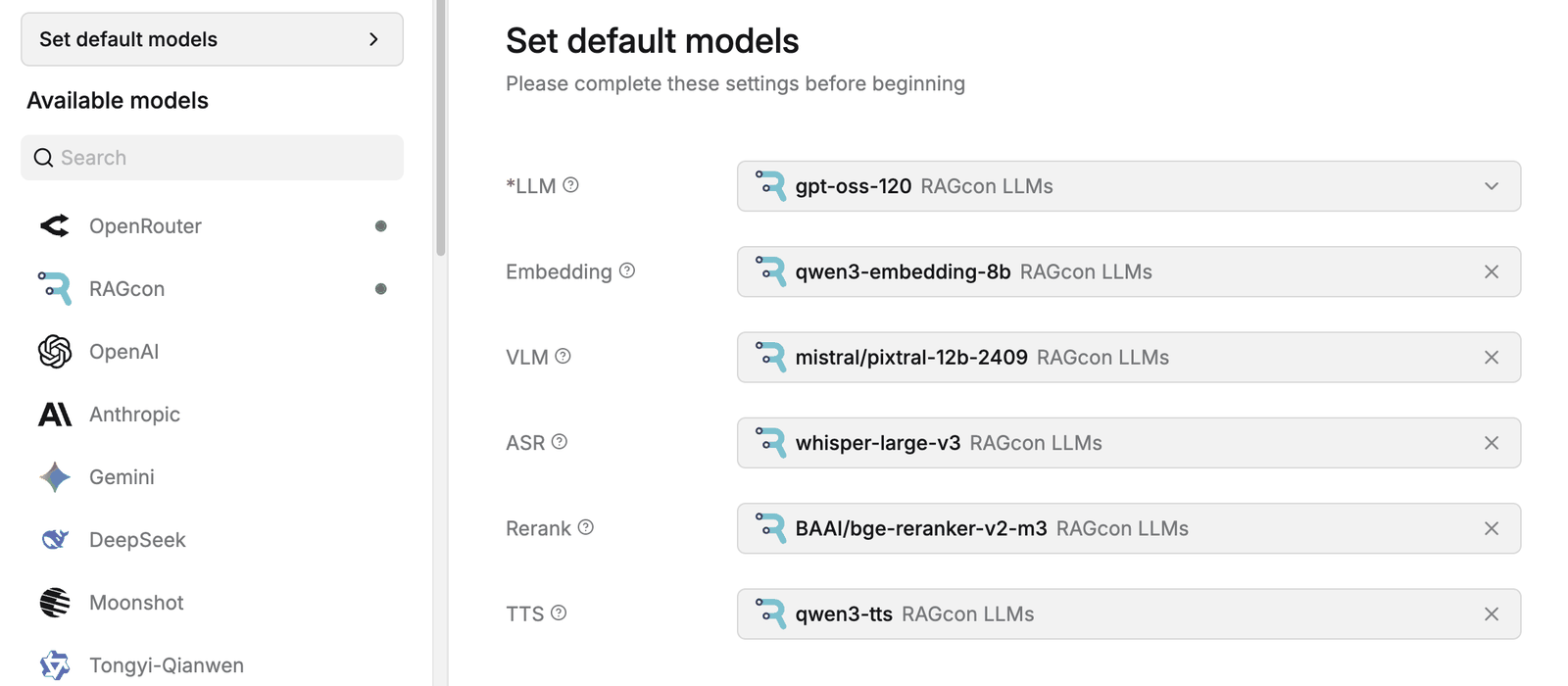 The default embedding model is fixed at knowledge-base creation time — set it first.
New RAGflow accounts do not receive default models automatically — each account first connects its own models under Model providers, then sets a default for each type under Set default models. Do this before using the Moodle plugins: they always use your account's current default models.
Connect and set as default, at least:
| Model type | Needed | What it does |
|---|---|---|
| Chat (LLM) | Required | Powers every assistant and answer. |
| Embedding | Required | Builds and searches every knowledge base. |
| Img2txt (image-to-text) | Recommended | Reads text from images / scanned pages so those documents become searchable. |
| Rerank | Recommended | Improves retrieval precision (the Search block can use it). |
| Other (speech-to-text, TTS, …) | Optional | Only if you have a specific need. |
Then open Set default models and pick a working default for each connected type.
The default embedding model matters
A knowledge base is embedded with your account's current default embedding model at the moment it is created — including knowledge bases the Tutor block creates for you. The plugins never hard-code an embedding model; they always use your account's current default. Therefore:
- Set a working default embedding model in Set default models first.
- The embedding model of an existing knowledge base cannot be changed afterwards — if it is wrong, recreate the knowledge base.
- If the default is missing or points at an unconfigured provider, embedding/retrieval fails with "Provider not found for model …" (see the admin FAQ).
1. Prepare a knowledge base in RAGflow
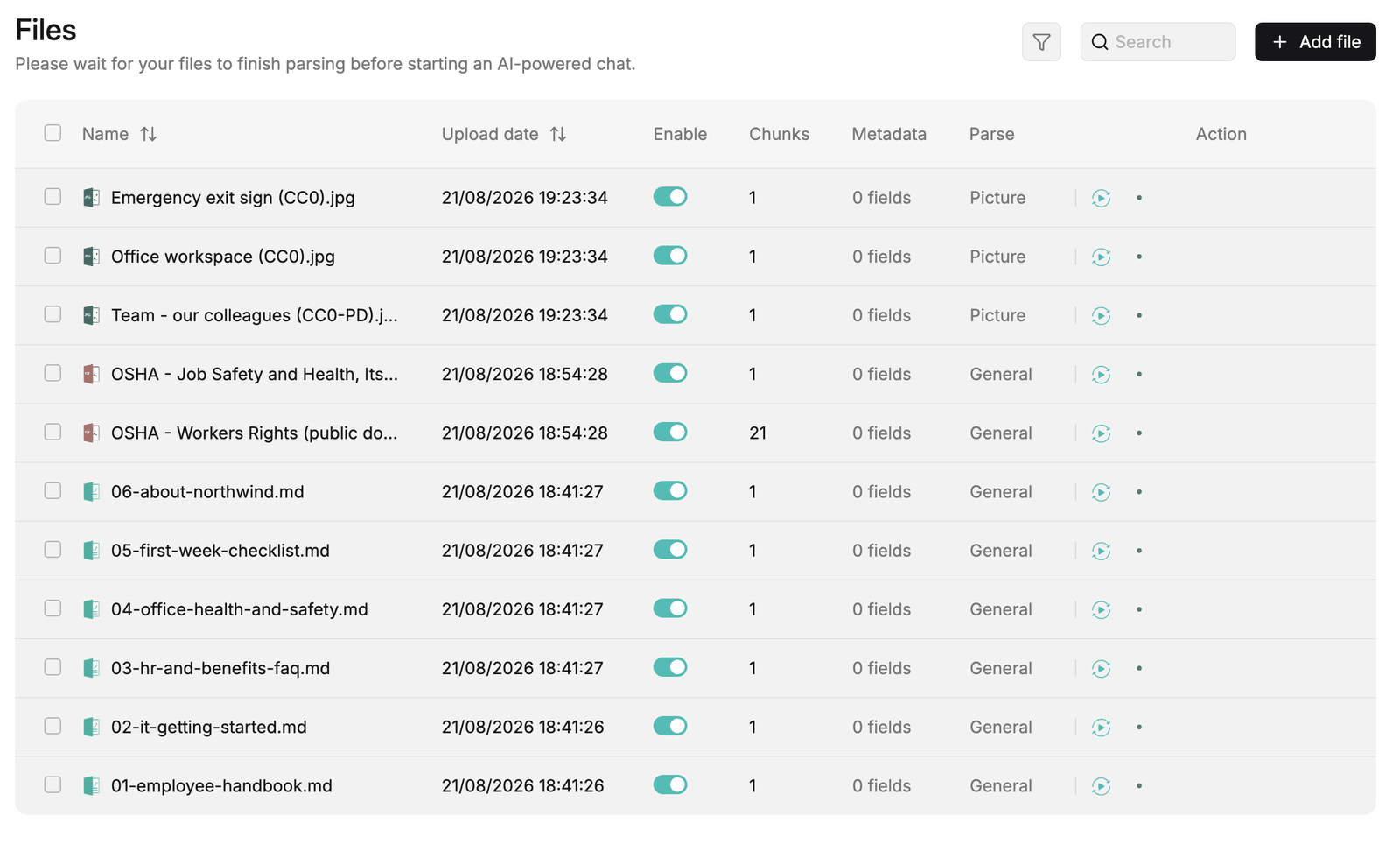 Upload your documents and wait until parsing shows SUCCESS.
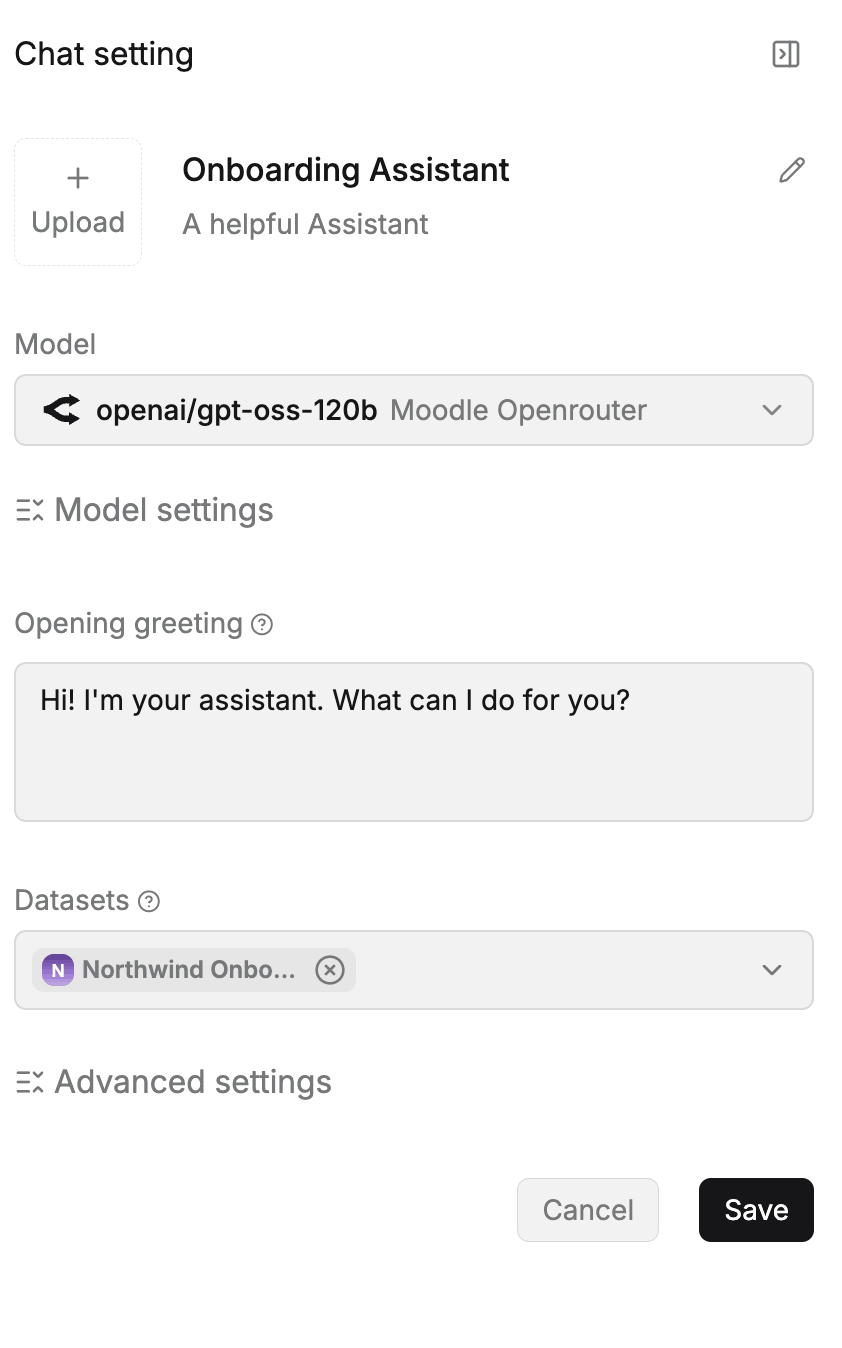 The assistant must be bound to the dataset that holds your documents.
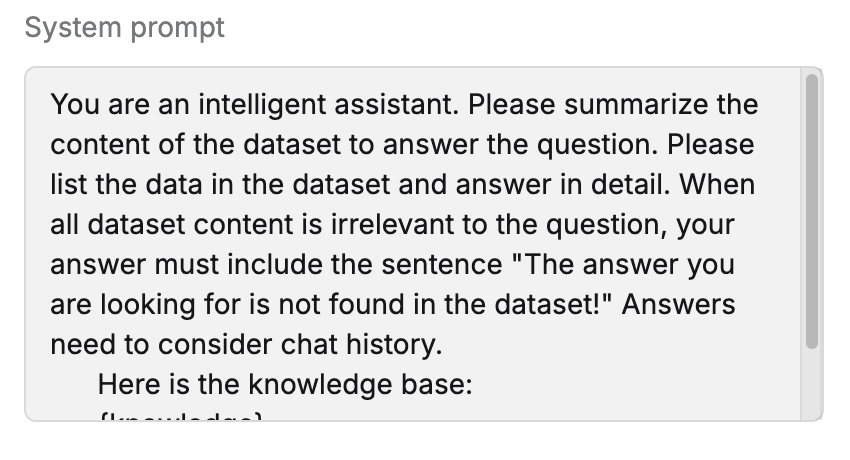 Replace RAGflow's default assistant prompt — see the admin guide.
In your RAGflow instance:
- Create a dataset and upload the documents you want answers to draw from.
- Wait until the documents are parsed/embedded (RAGflow shows the progress).
- Create an assistant (chat) and bind it to that dataset.
- Note the assistant so you can select it in Moodle.
Check the assistant's system prompt
RAGflow's default assistant prompt tells the model to "list the knowledge-base entries", which makes it wrongly answer "the knowledge base is empty" when a question has no matches (even though the dataset has content). If you create the assistant manually, replace its system prompt with a cleaner one — see Answer wording when nothing is found in the admin guide. (Assistants the Tutor block creates already get a clean prompt.)
Rerank model & similarity threshold
If you set a rerank model on the assistant, its relevance scores sit on a different, usually lower scale — and the assistant's Similarity threshold is compared against those scores. On a small or short-document knowledge base this can push every passage below the cut-off, so the assistant answers "no information" even though the dataset clearly contains the answer. If that happens, lower the Similarity threshold (around 0.1) or remove the rerank model on the assistant.
Embedding model & context window
Retrieval embeds your query with the dataset's embedding model. Very long queries can exceed a small model's context window. The suite already keeps queries short, but choose an embedding model appropriate to your content.
2. Add the RAGflow AI provider in Moodle
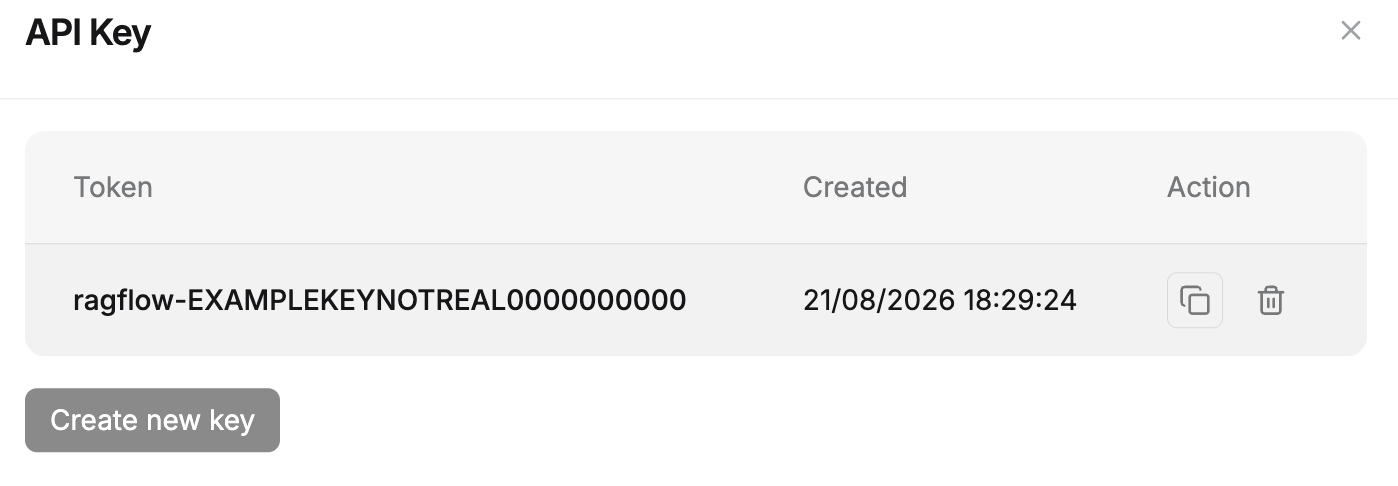 Generate an API key in RAGflow — you paste it into the Moodle provider.
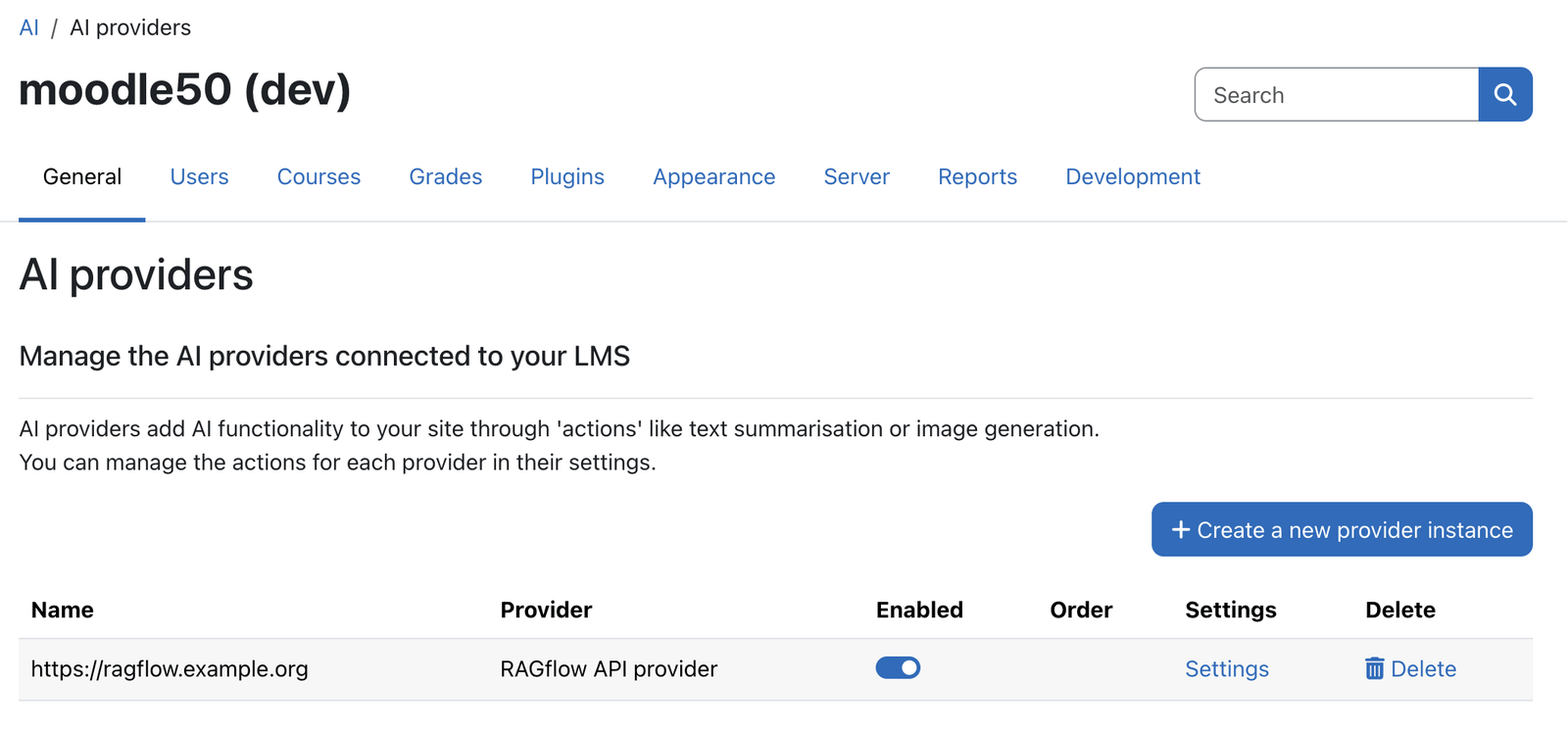 Site administration → General → AI → AI providers.
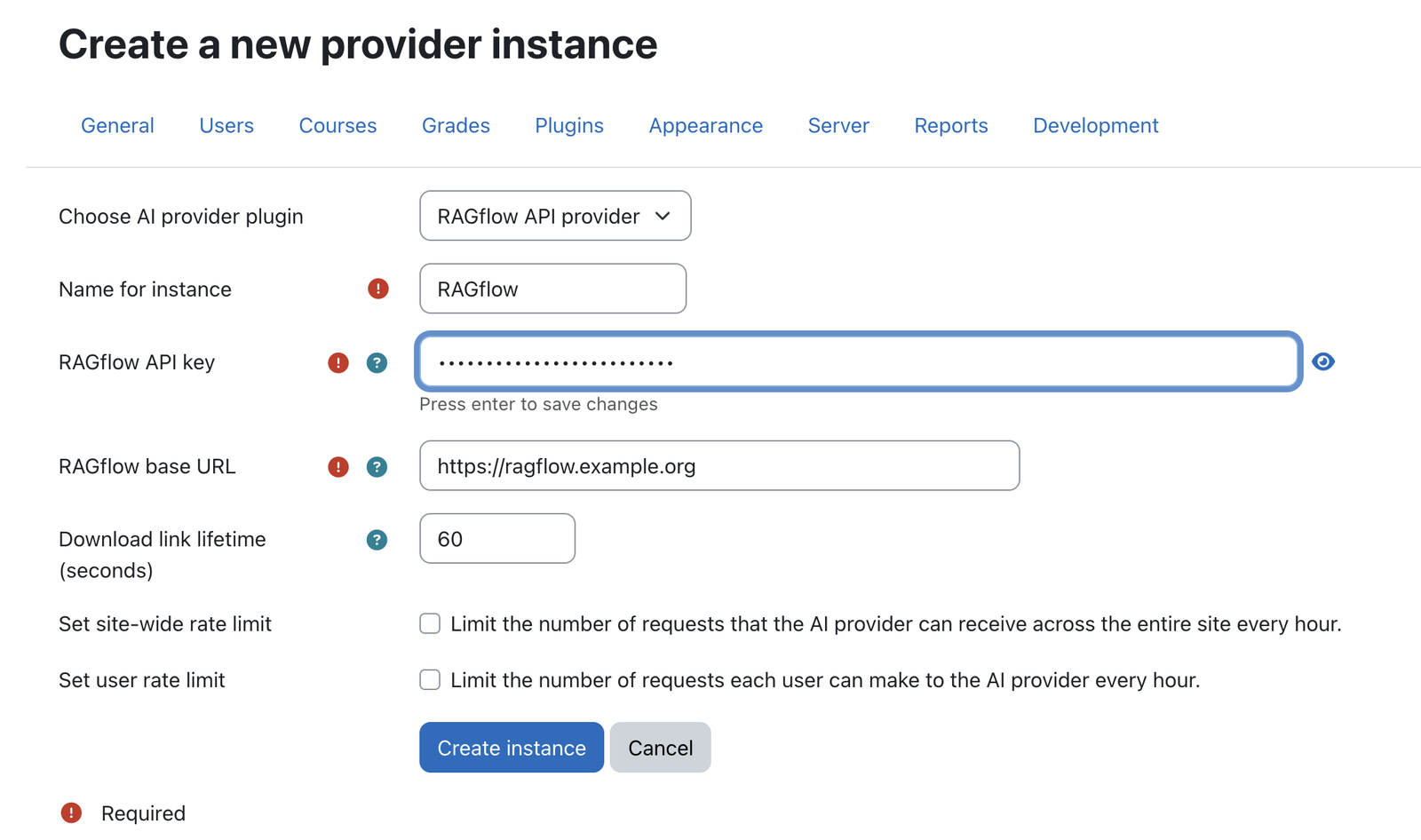 Enter the RAGflow base URL and API key once — all plugins reuse this instance.
 Enable the provider — the suite plugins only work once it is active.
- Go to Site administration → AI → AI providers (Moodle's AI subsystem).
- Add a new RAGflow provider instance.
- Enter the base URL and API key from your RAGflow instance.
- Configure the actions you want (chat, and optionally source display / memory) and select the assistant to use.
- Enable the provider and save.
Verify the connection
If the base URL or key is wrong, or RAGflow is unreachable, chats fail with "Unexpected response
from RAGflow". Administrators (and users with aiprovider/ragflow:viewerrordetails) see the
technical cause under a Details disclosure — e.g. HTTP 502 (RAGflow down) or an embedding
error. Use that to diagnose the connection.
3. Enable the plugins you want
Each feature is enabled independently:
- Tutor block — add the RAGflow Tutor block to a course; teachers upload course documents into the block's own knowledge base.
- Search block — add the RAGflow file search block to a course or dashboard.
- Helpdesk placement — enable the placement under AI → AI placements; a help drawer appears site-wide.
- Usage dashboard — view under Site administration → Reports → RAGflow Dashboard.
4. Permissions
aiprovider/ragflow:viewerrordetails— who may see the technical error cause on a failed chat (default: Manager + editing Teacher; site admins always). Keep it off for ordinary users, since the cause can reveal server-side internals.- Each feature has its own
:usecapability (e.g.block/ragflowtutor:use,aiplacement/ragflowhelpdesk:use) and management capabilities for editing knowledge bases.
Troubleshooting
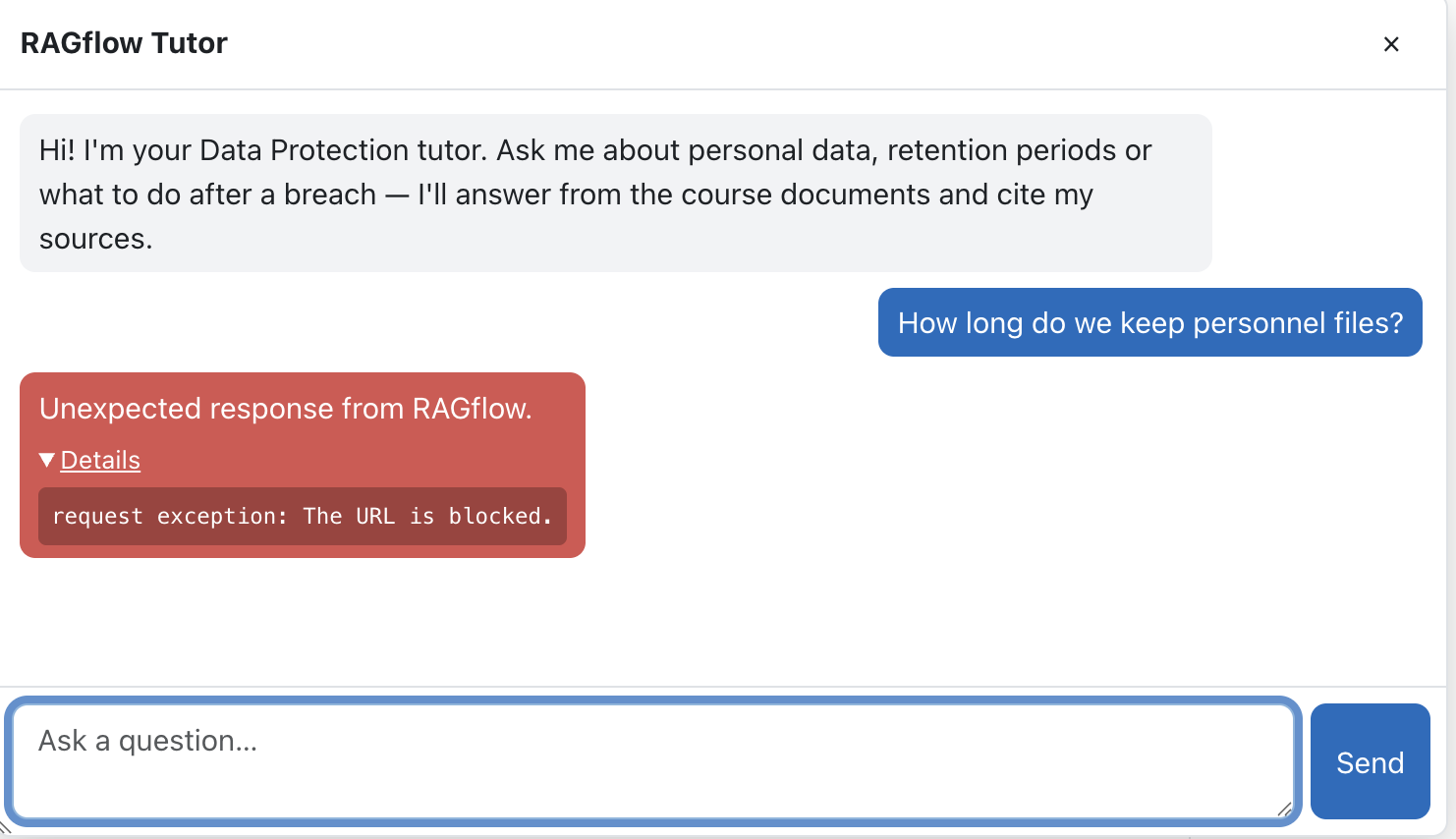 Failed chats expose the technical cause under Details — here Moodle's own URL blocklist.
| Symptom | Likely cause | What to check |
|---|---|---|
Unexpected response from RAGflow + HTTP 502/504 |
RAGflow unreachable / down | Is the RAGflow service up? Base URL correct and reachable from the Moodle server? |
Unexpected response + HTTP 401/403 |
Bad API key | Regenerate the key in RAGflow, update the provider instance |
| Embedding / context-window error | Query too long for the embedding model | Use a larger-context embedding model, or shorter documents/queries |
| No answers, empty sources | Dataset not parsed yet, or assistant not bound to the dataset | Confirm parsing finished; confirm the assistant is bound to the dataset |
Administrators can also open Reports → RAGflow Dashboard and enable a component's debug capture to see the exact request/response of recent calls.
Note: This documentation was created with the help of AI. Spotted an error, an omission, or something unclear? Please report it in the ragcon-docs GitHub repository so we can fix it.