Professional services
Need expert help? RAGcon GmbH offers:
- RAGflow Support
- RAGflow Hosting
- Moodle Support
RAGflow Helpdesk
Repository & issue tracker
- Repository: https://github.com/ragcon-ai/moodle-aiplacement_ragflowhelpdesk
- Issues / bug tracker: https://github.com/ragcon-ai/moodle-aiplacement_ragflowhelpdesk/issues
Component: aiplacement_ragflowhelpdesk
Requires: Moodle 5.0–5.2
Depends on: aiprovider_ragflow
Deep document understanding
Answers draw on the content of your documents — scanned pages, images and tables included, read by OCR, layout and vision models. See Document understanding.
A site-wide help drawer (an AI placement). It adds a RAGflow Helpdesk item to the site's primary (More) menu. The item opens a chat page that answers from an organisation-wide RAGflow knowledge base (system context, no course scope), typically your help, FAQ or support content. It has its own settings and uses the shared chat engine from the AI provider.
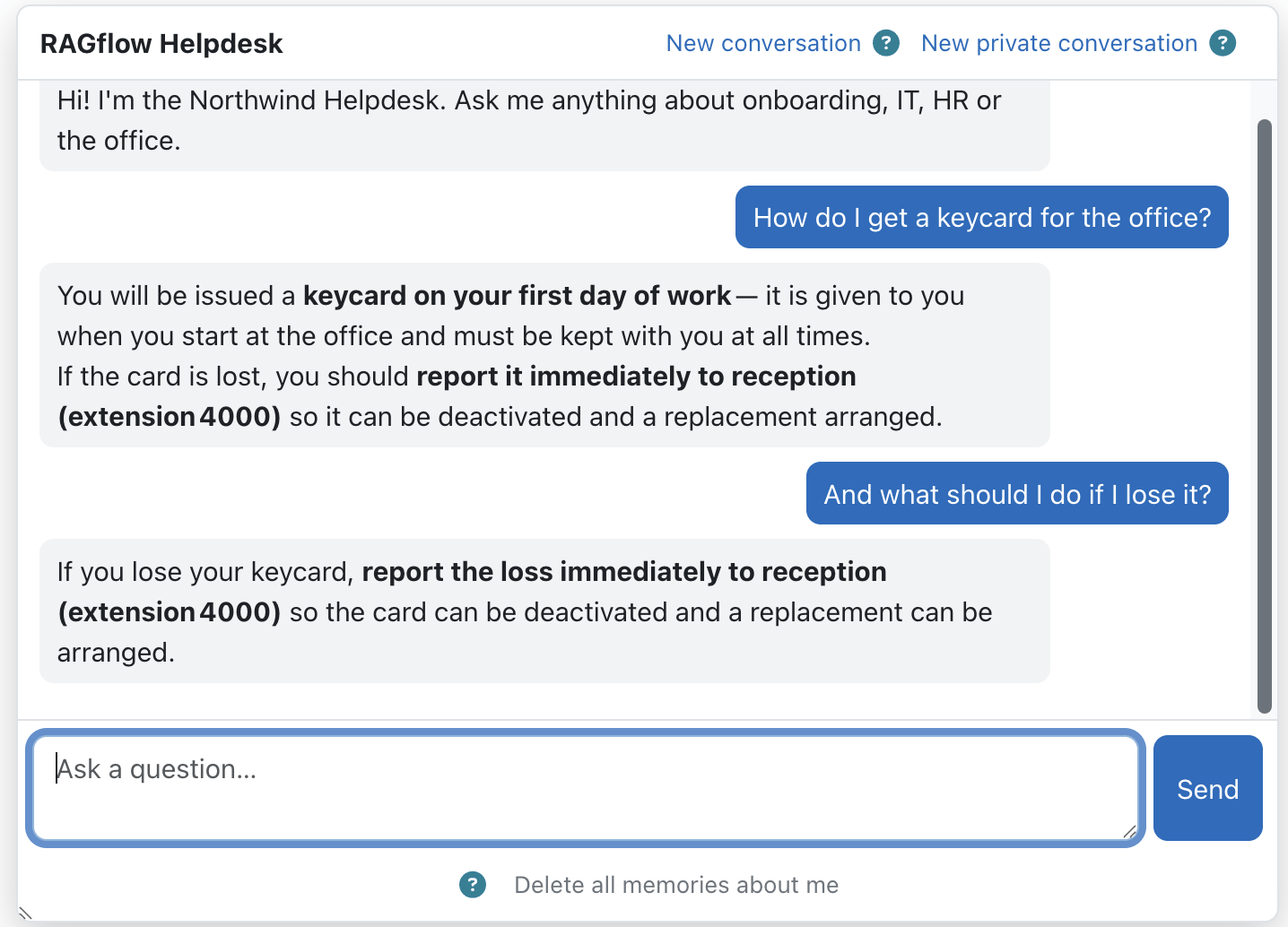 The help drawer answers from your organisation-wide knowledge base.
Easy setup
- Install the RAGflow AI provider first
- Enable the Helpdesk placement
- Choose the help assistant
- Set greeting and memory
Features
 The placement adds a RAGflow Helpdesk entry to the site's primary menu.
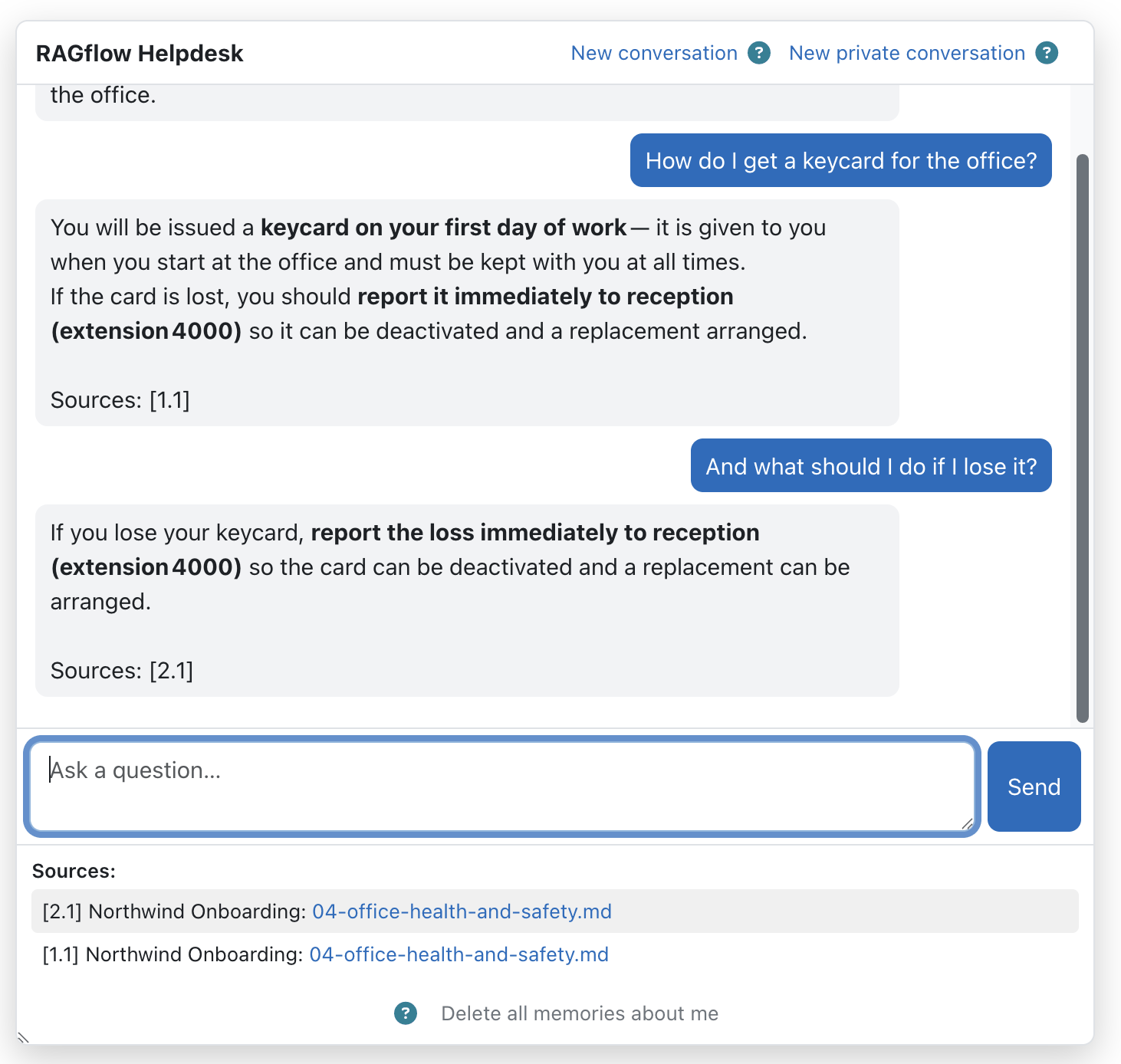 Follow-up questions keep context; the transcript is restored on return.
 Users can start a new conversation, forget memory or chat privately.
- Site-wide navigation entry → chat page at the system context, shown only when the user is logged in (not a guest), has the use capability, and the placement is enabled and configured.
- Conversation (session) memory (on by default): follow-ups keep context and the transcript is restored on return (stored server-side in RAGflow).
- Long-term memory (optional): carries durable facts about the user (name, role, language, preferences, recurring goals) across conversations, using RAGflow's native Memory.
- Configurable greeting, optional source citations, and answers in the user's Moodle language.
- Private/incognito mode and drawer controls: New conversation, New private conversation and Delete all memories about me (from the shared engine).
Use cases
Three ways teams use the Helpdesk — expand an example. Pair any of them with the RAGflow Moodle Connector to keep the organisation-wide help knowledge base aligned with the policy and FAQ documents maintained in Moodle.
Enterprise — internal IT & HR help desk
Staff hit the same questions every week — VPN resets, the expense policy, holiday requests. The Helpdesk answers them site-wide from the company's IT and HR documentation, remembers the conversation for follow-ups, and offers a private mode for sensitive questions.
When the docs don't cover something it says so, instead of inventing a confident answer that costs more support time than none.
Universities — student services
A university exposes a site-wide help drawer that answers enrolment, certificate, exam-regulation and IT questions from the official student handbook and IT guides.
It sits on every page, is available to logged-in users, and answers in the user's language — taking routine load off the service desk during enrolment and exam peaks.
Public sector — staff support with data control
An authority runs an internal help desk for procedures, forms and internal policies.
Answers are grounded and cited, long-term memory is opt-in and user-clearable, the log stores metrics only, and everything runs on an instance under the authority's control — the controls a data-protection officer needs to sign it off.
Configuration
Admin settings — Site administration → Plugins → AI placements → RAGflow Helpdesk
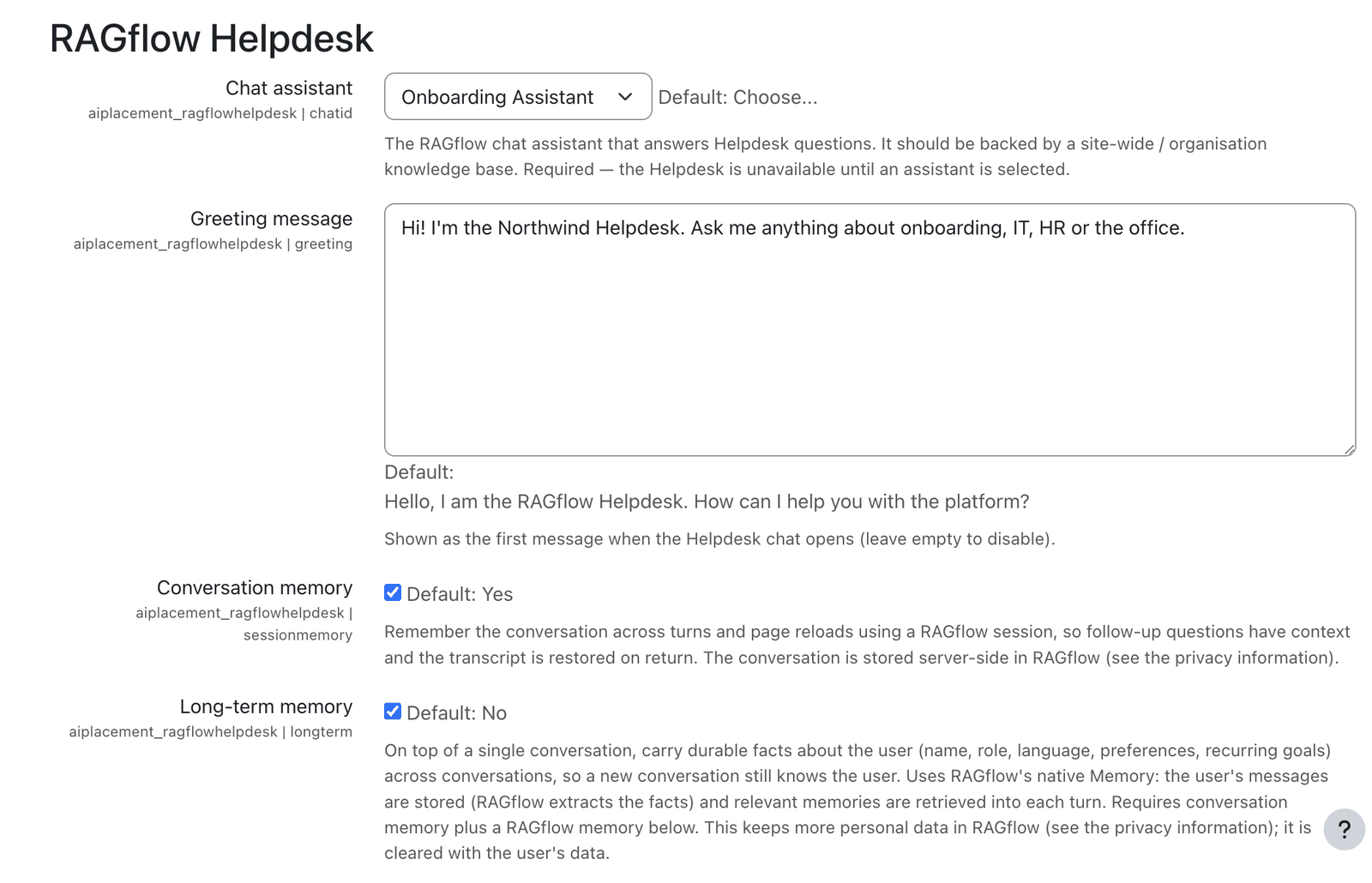 Placement settings: assistant, greeting, memory and citations.
| Setting | Type | Default | Meaning |
|---|---|---|---|
Chat assistant (chatid) |
select (live) | — (required) | The RAGflow assistant that answers Helpdesk questions; should be backed by a site-wide knowledge base. The Helpdesk is unavailable until an assistant is chosen. |
Greeting message (greeting) |
textarea | "Hello, I am the RAGflow Helpdesk…" | First message shown when the drawer opens; empty to disable. |
Conversation memory (sessionmemory) |
checkbox | on | Remember the conversation across turns and reloads (RAGflow session). |
Long-term memory (longterm) |
checkbox | off | Carry durable user facts across conversations. Requires conversation memory and a RAGflow memory (below). |
RAGflow memory (memoryid) |
select (live) | — | The RAGflow memory used for long-term memory (create a RAW memory in RAGflow — the only supported type). One shared memory serves all users; Moodle separates them per user. |
Include sources (includesources) |
checkbox | on | Append linked sources to answers. |
Serve source files via RAGflow proxy (serveviaproxy) |
checkbox | off | Stream source files through the secure Moodle proxy. |
Write log data (logtomoodle) |
checkbox | off | Write a concise usage/error entry (metrics only, no message content) to the Moodle standard log per request; independent of the RAGflow dashboard. |
Long-term memory: create a RAW memory
For long-term memory, create the RAGflow memory as a RAW memory — currently the only supported type. RAGflow's extracting memory types (semantic, episodic, procedural) may be added in a later version.
Safe assistant / memory selection
The Chat assistant and RAGflow memory selectors always keep the currently saved value selectable even when RAGflow is temporarily unreachable, so saving the settings can never silently clear your choice. A status line above the field flags a saved id that no longer exists in RAGflow (red) or that cannot be verified right now (amber).
Capabilities
| Capability | Default roles | Purpose |
|---|---|---|
aiplacement/ragflowhelpdesk:use |
Authenticated user (site context) | See and use the Helpdesk drawer (guests excluded). |
Roles & permissions (who can do what)
| Role | What this role can do |
|---|---|
| Site administrator | Enables and configures the placement (Site administration → Plugins → AI placements → RAGflow Helpdesk: which AI actions appear, availability) and uses the drawer. |
| Manager · Teacher (editing & non-editing) · Student · any authenticated user | See and use the site-wide Helpdesk drawer (:use). |
| Guest / not logged in | No access — the drawer requires a logged-in account. |
In short: everyone who is logged in can use the Helpdesk; only site administrators configure it.
Privacy
The placement stores no personal data in Moodle — the conversation exists in the browser / a RAGflow session. With conversation memory on, the conversation is stored server-side in RAGflow; with long-term memory on, per-user facts are stored in RAGflow's Memory and are cleared with the user's data. See the AI provider privacy details.
Note: This documentation was created with the help of AI. Spotted an error, an omission, or something unclear? Please report it in the ragcon-docs GitHub repository so we can fix it.